
Project Dashboard
The Project dashboard gives you a comprehensive view of your project’s status and key details, all in one place.
-
Document Overview
-
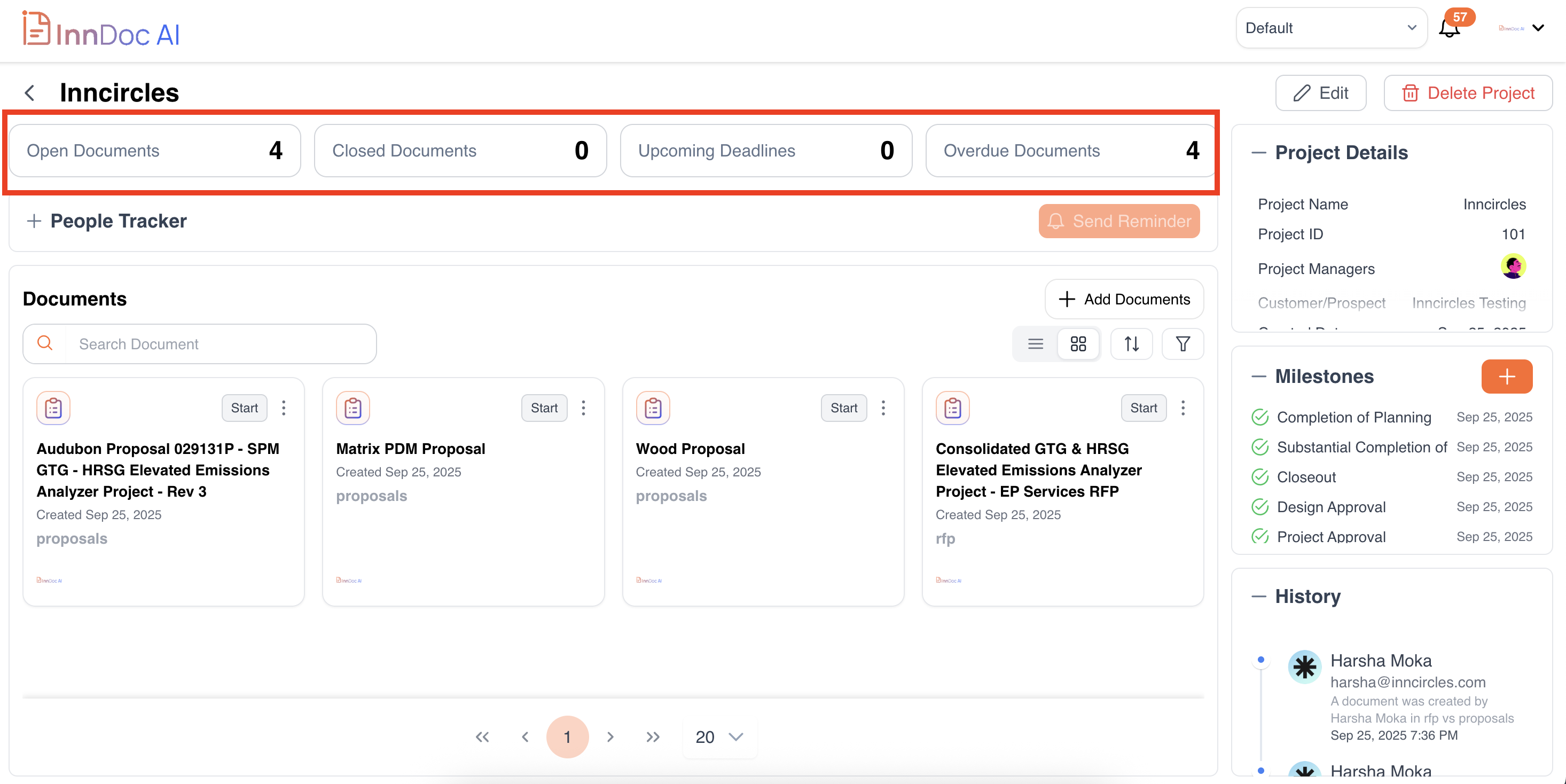
View open documents (pending actions) and closed documents (completed).
-
See upcoming deadlines and overdue documents at a glance.
-
Click on any document count to view the list of documents in that category.
-
-
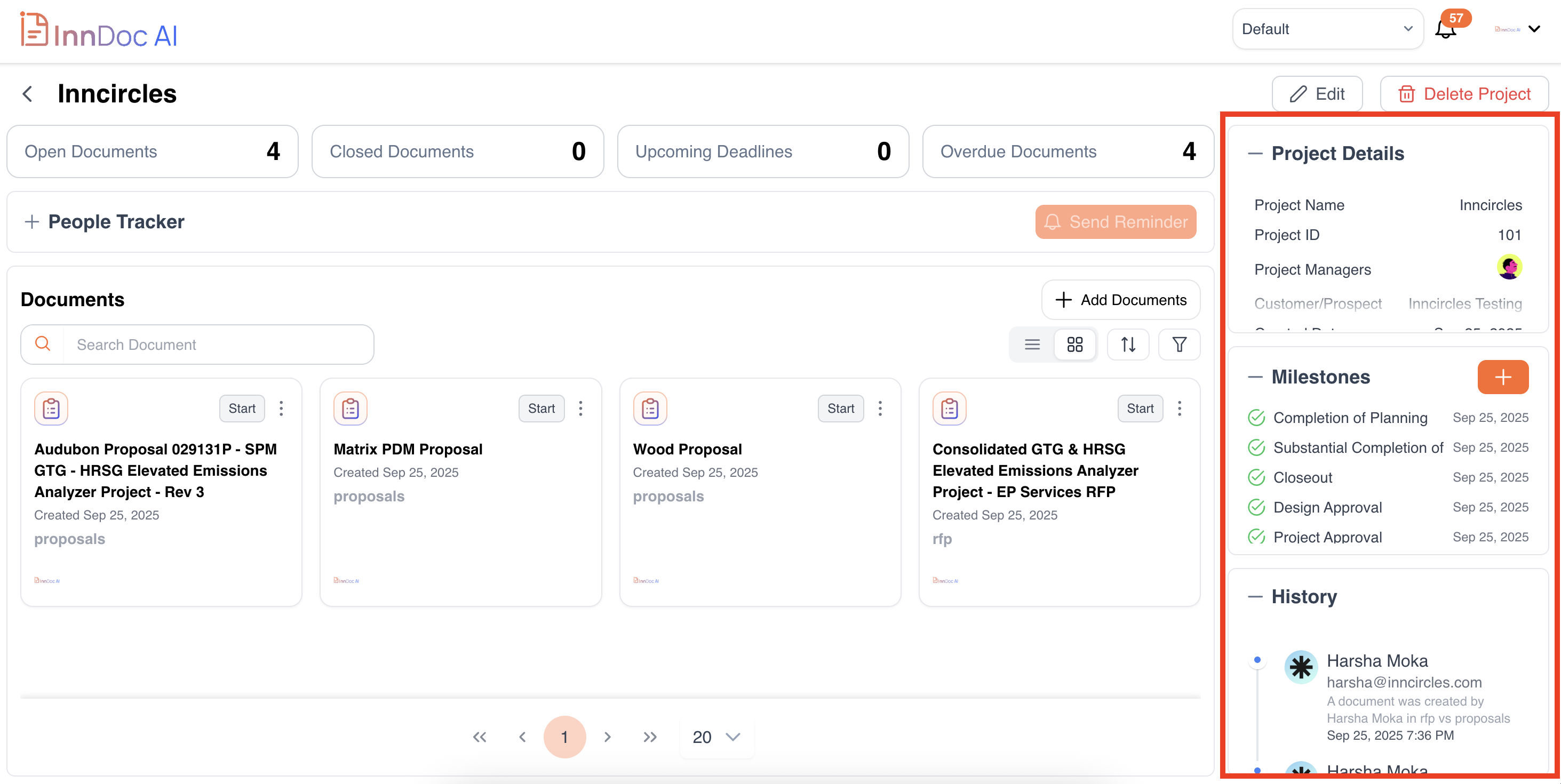
Project Details: Quickly access essential information about your project:
- Project Name & ID
- Project Manager(s)
- Customer/Prospect
- Due Date
- Status
-
- View all project milestones along with their due dates.
- Track progress against key deadlines.
- Add Milestones: Click here to create any new milestones for the project as needed, specifying the name and due date.
-
Recent Activity / History: See a chronological list of recent actions in your project, including document uploads, edits, and milestone updates.
Tip: Use the dashboard to get a quick snapshot of project progress and focus on tasks that need immediate attention.
Updated 11 months ago
Did this page help you?