
Linking Files to Knowledge Base
Linking your files to a Knowledge Base helps Innform’s AI use those documents while answering questionnaires or generating responses. You can link individual or multiple files to one or more Knowledge Bases — even create new ones directly from the same flow.
Linking a Single File
- Settings-> Repository-> Go to the Files section.
- Hover over or click the Actions menu beside the file you want to link.
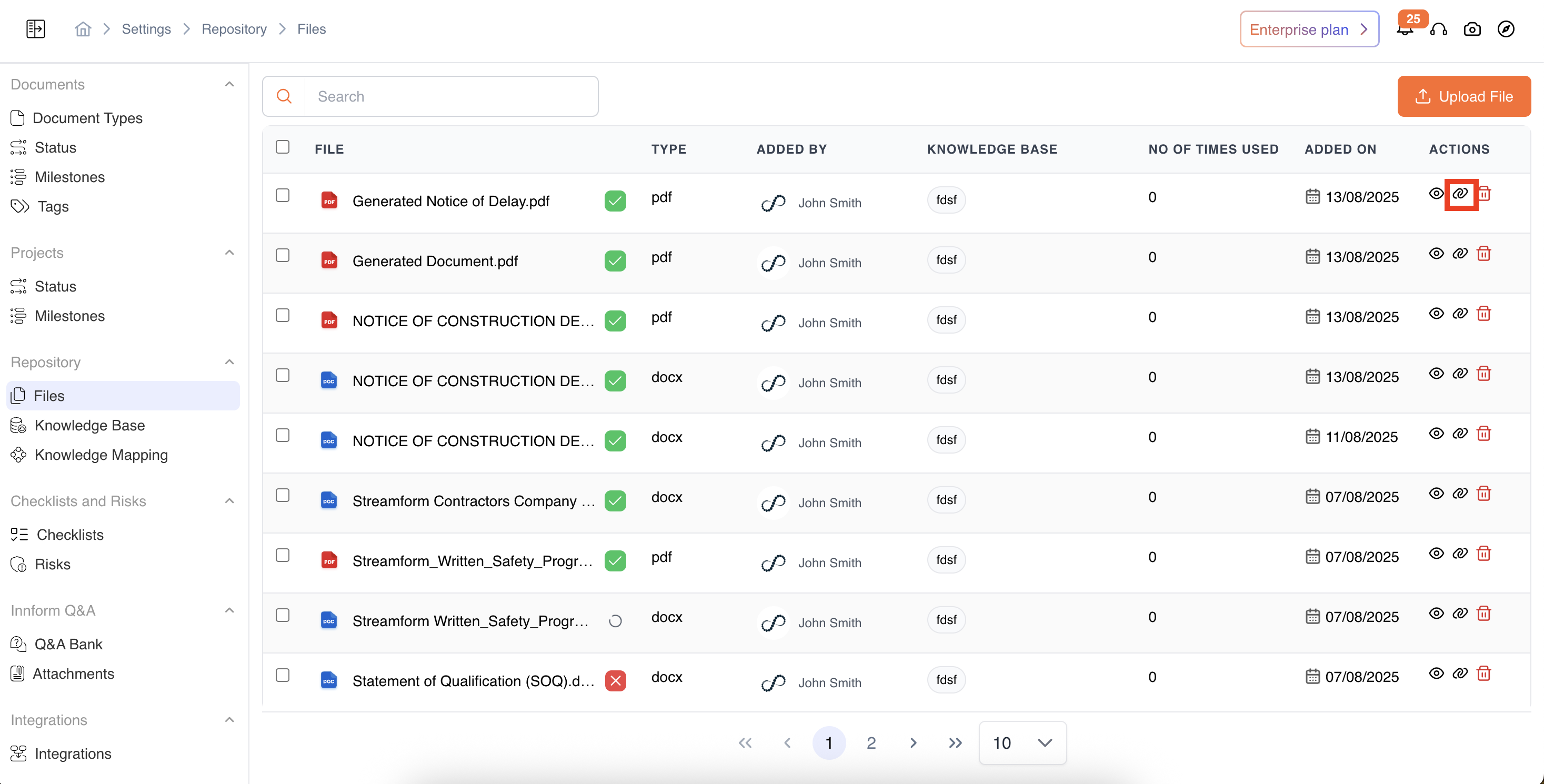
-
Select Knowledge Base.
- A pop-up will appear where you can:
- Search for an existing Knowledge Base and click to select it.
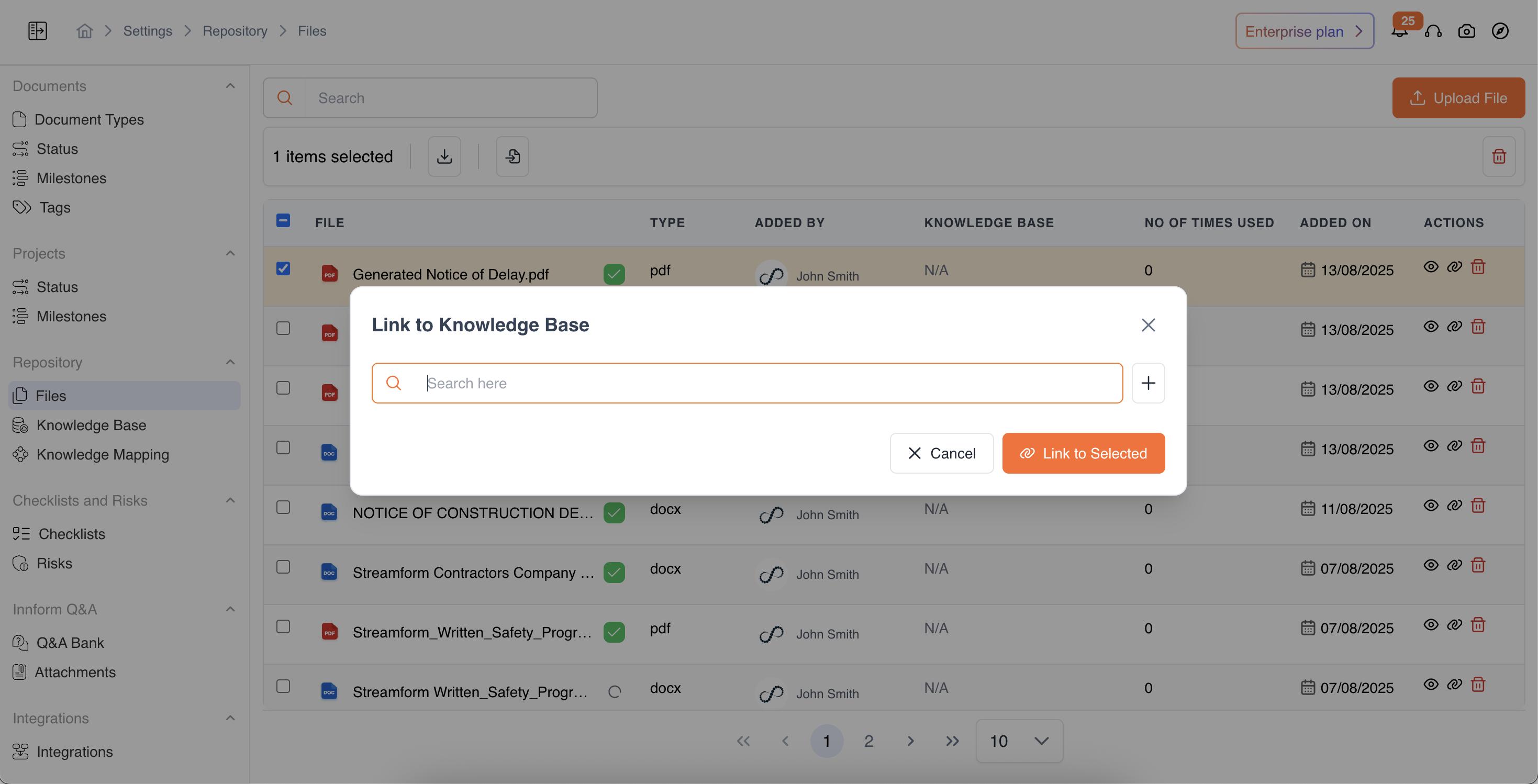
-
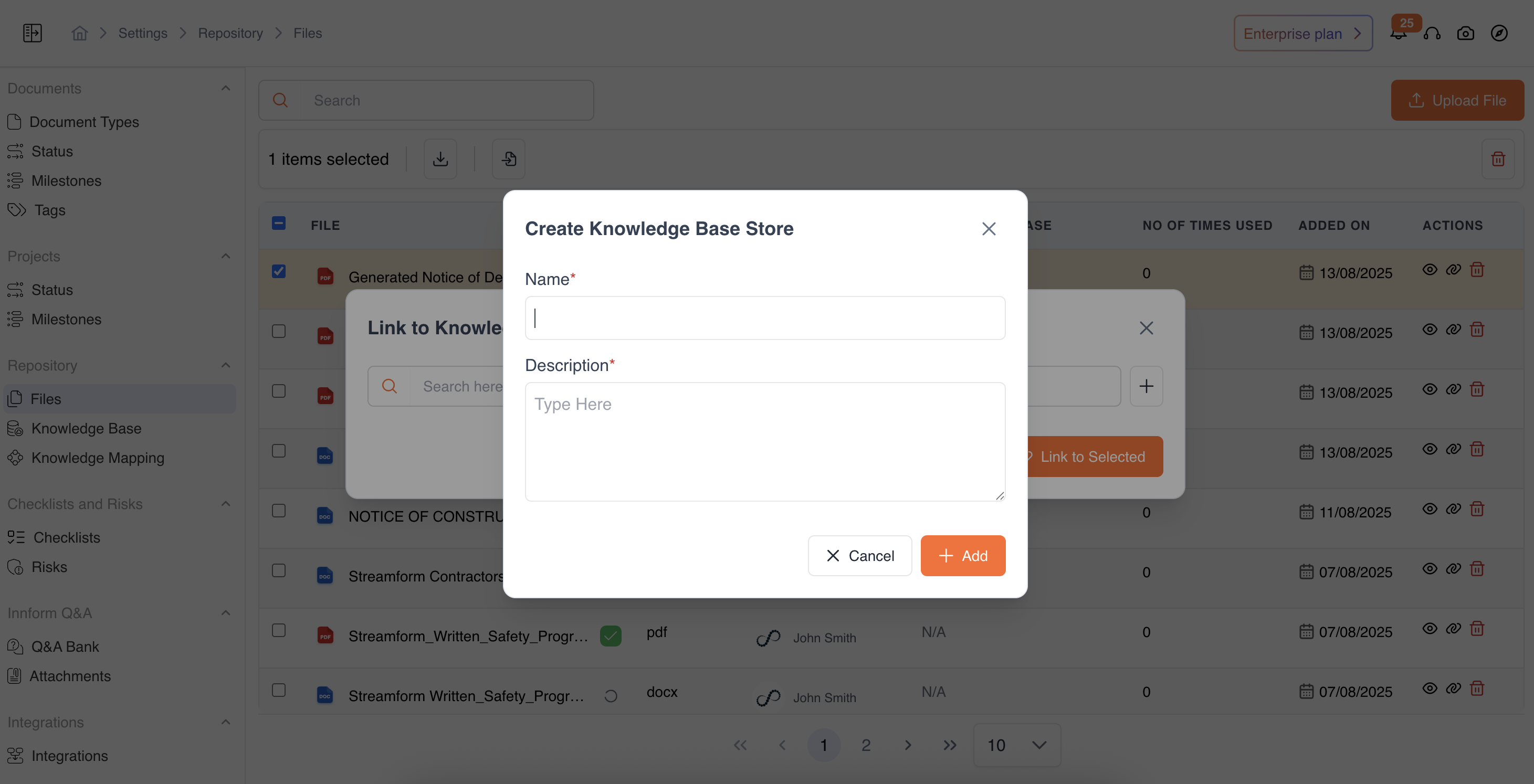
OR Create a New Knowledge Base by entering:
- Name
- Description
- Click Add to create it instantly.
Once selected or created, the file is automatically linked to that Knowledge Base.
Bulk Linking Multiple Files
-
Select multiple files using the checkboxes beside their names.
-
Click Link to Knowledge Base from the top toolbar.
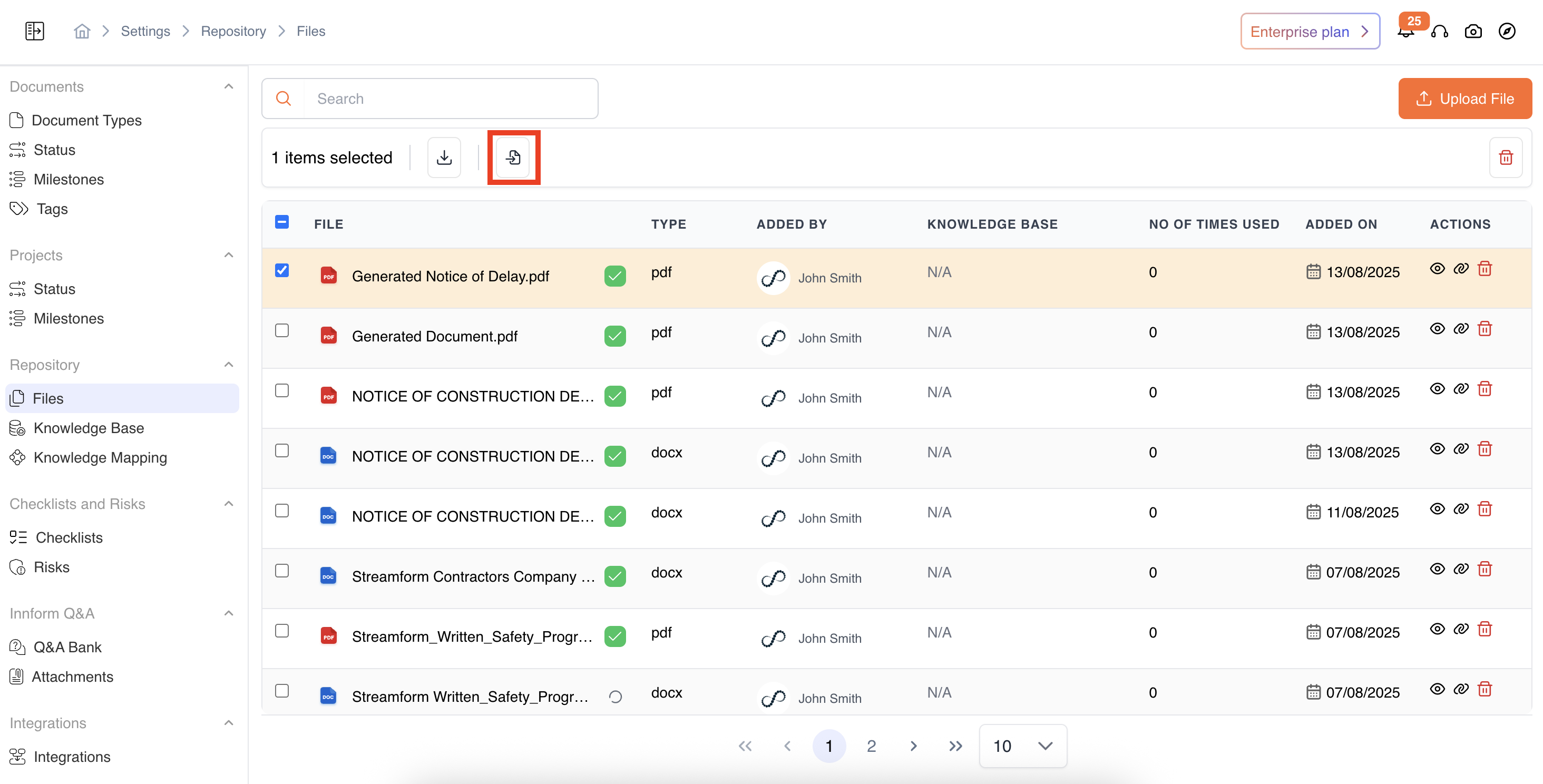
-
The same pop-up appears:
- You can link all selected files to one or more existing Knowledge Bases.
- Or create a new Knowledge Base directly from here.
-
Once confirmed, all selected files will be linked accordingly.
Updated 12 months ago
Did this page help you?