
Getting Started with Innform AI
Follow these simple steps to start answering questionnaires quickly and efficiently:
-
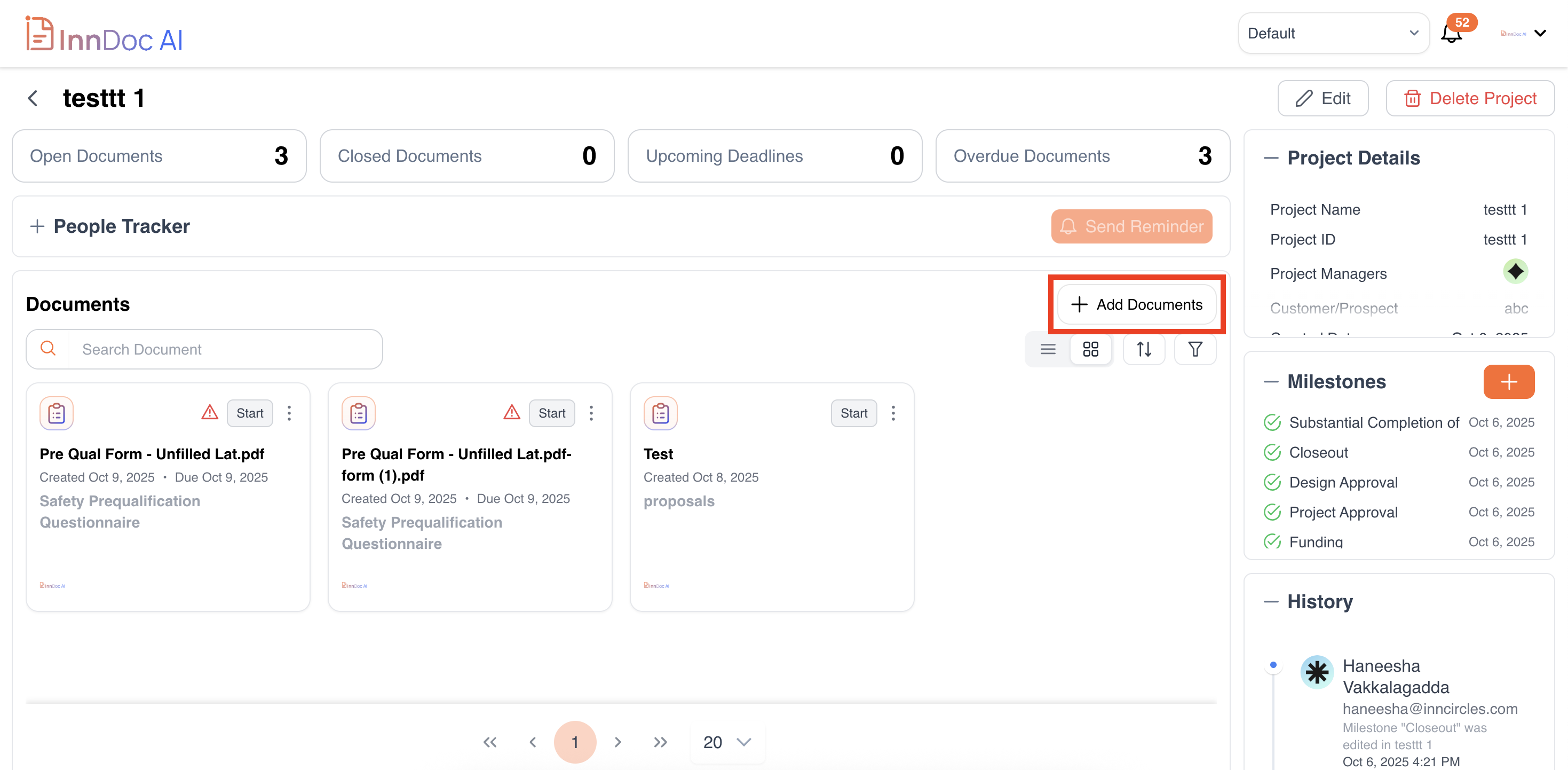
Choose your Project-> Add Document -> Choose Document Type
-
Upload Your Questionnaire
Import your questionnaire from any supported format (PDF, DOC or DOCX, Max file size 90MB).
Innform automatically parses the questions and prepares them for review and AI-assisted answering.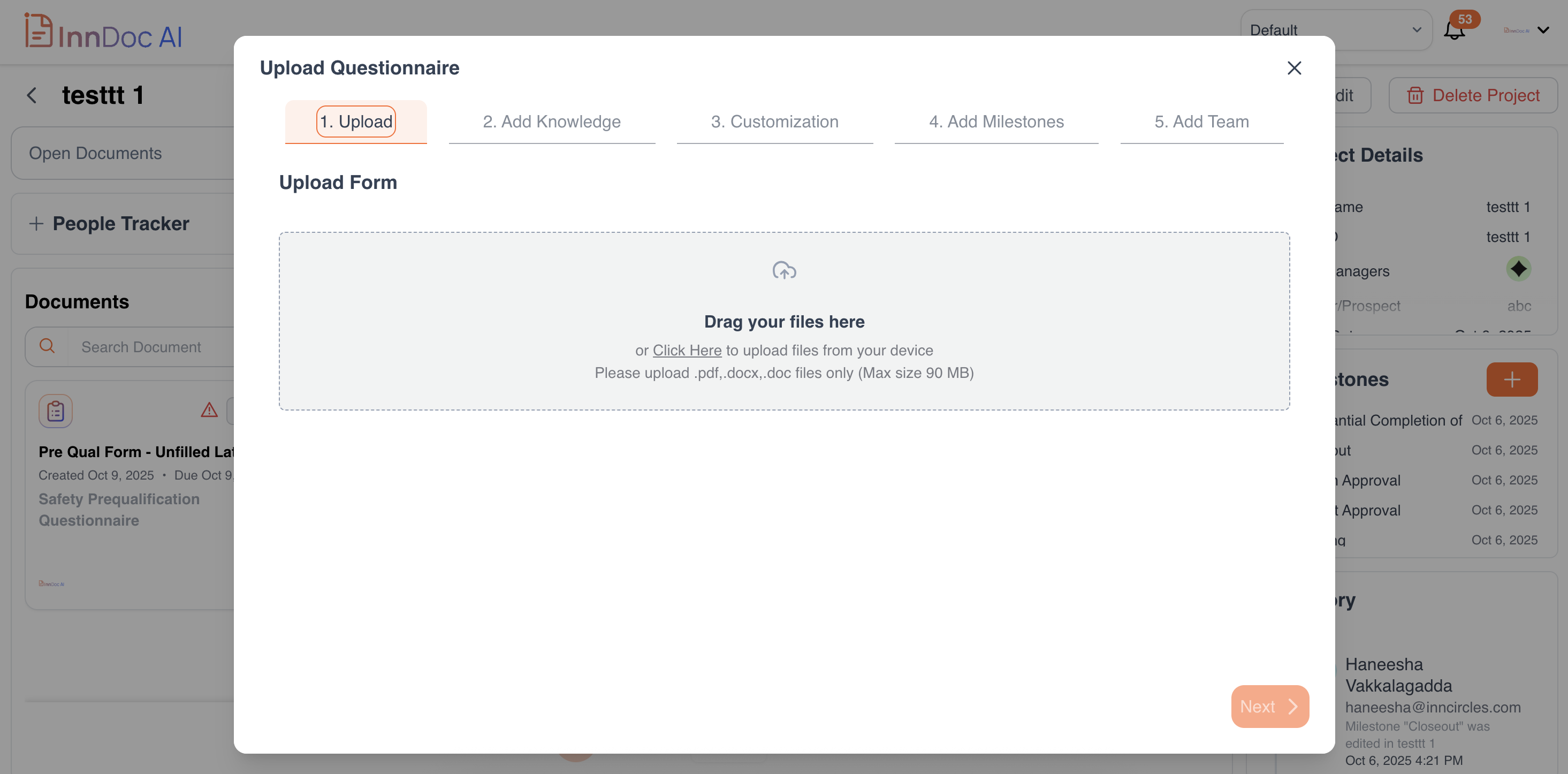
-
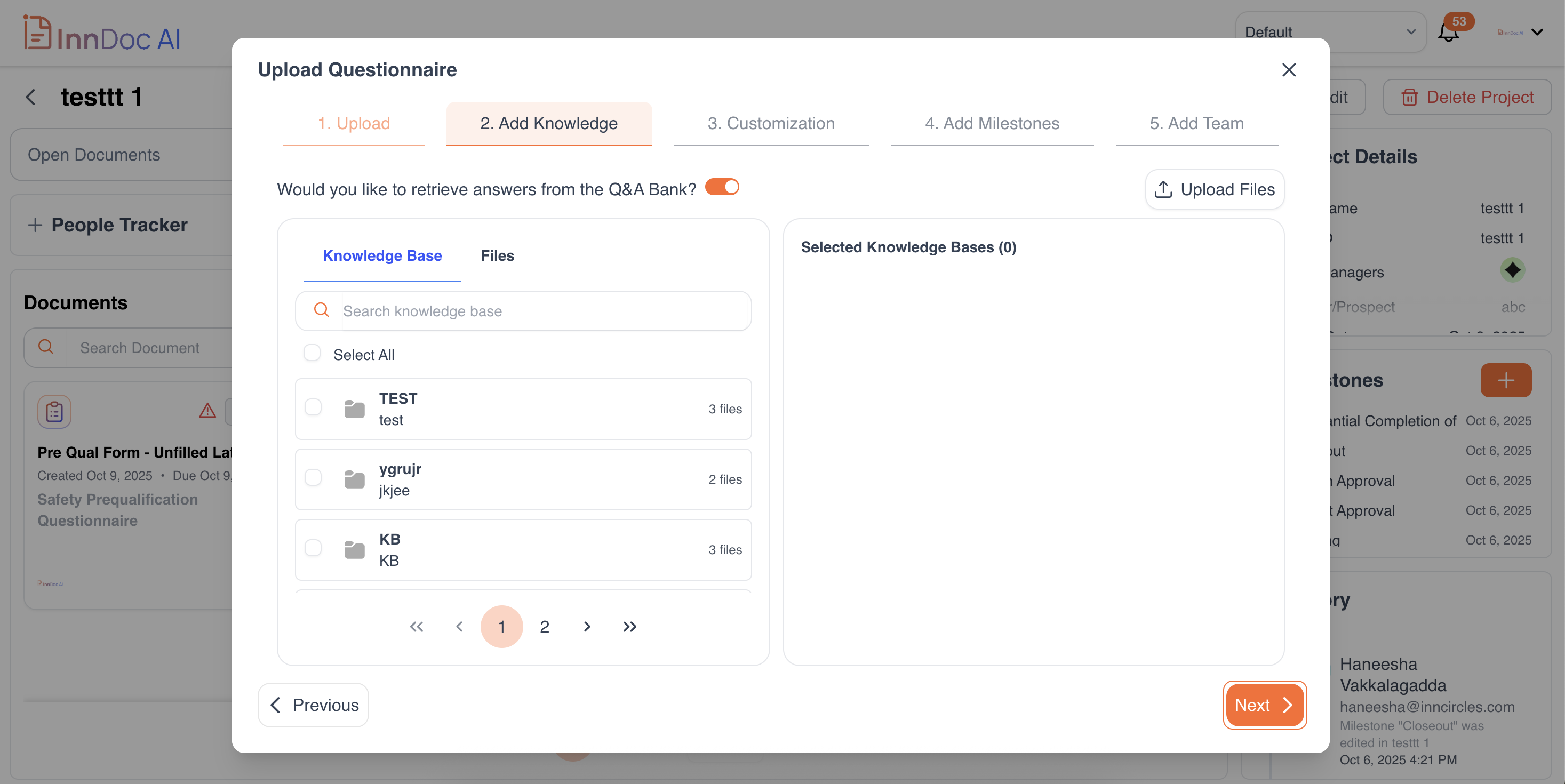
Choose Your Knowledge Base and Q/A Bank
- Select the relevant Knowledge Base(s) and Q/A Bank entries to provide context for your answers.
- Knowledge Base: Pick which sources to include for each project, ensuring responses are accurate and aligned with your organization’s standards.
- Q/A Bank: Use previously approved answers for quicker, consistent responses. You can choose whether to include Q/A Bank answers in each project.
-
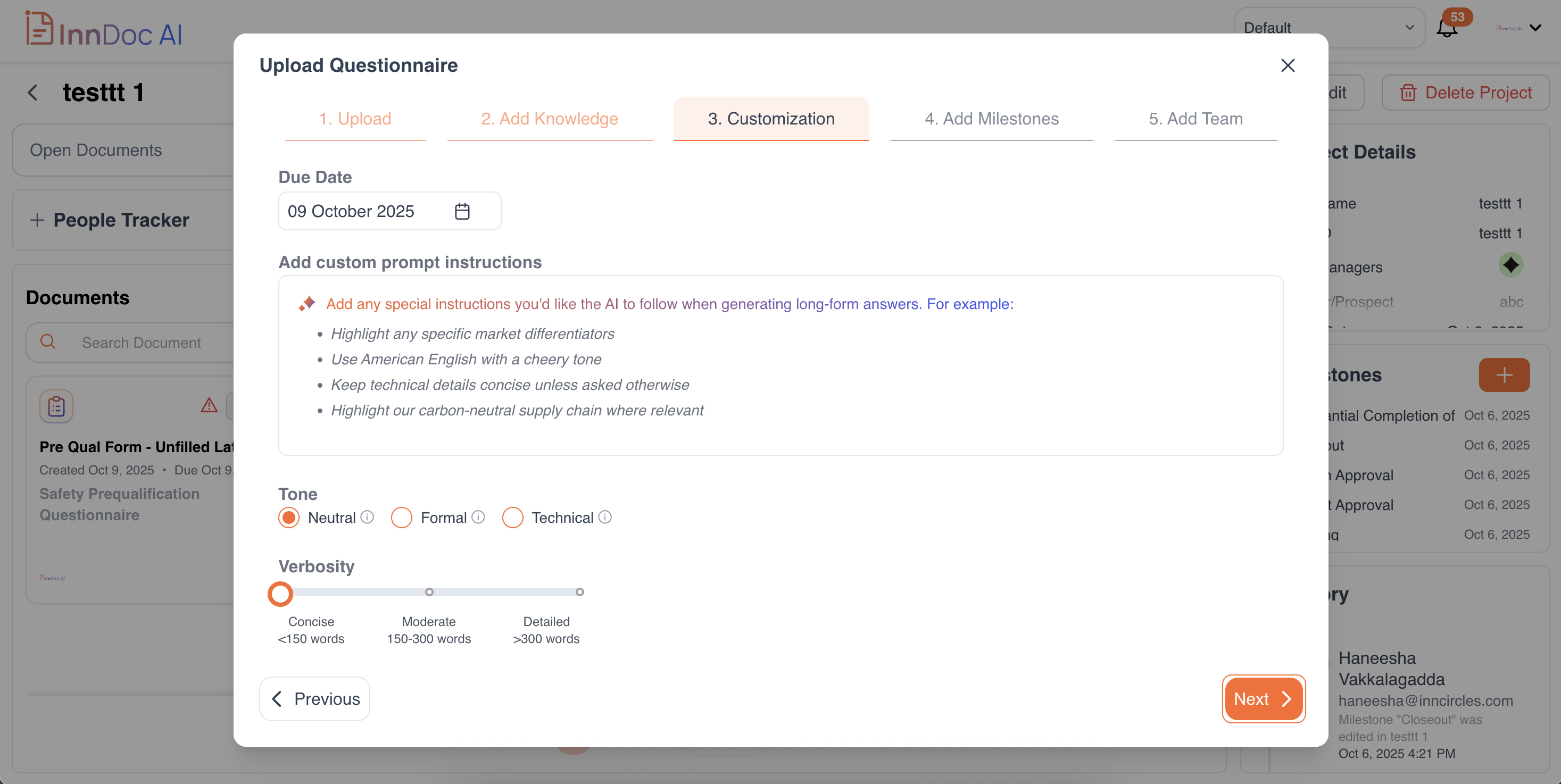
Customize Your Settings
Adjust preferences to tailor AI behavior, including:
Verbosity, tone, and customer-specific instructions to guide AI in generating responses
-
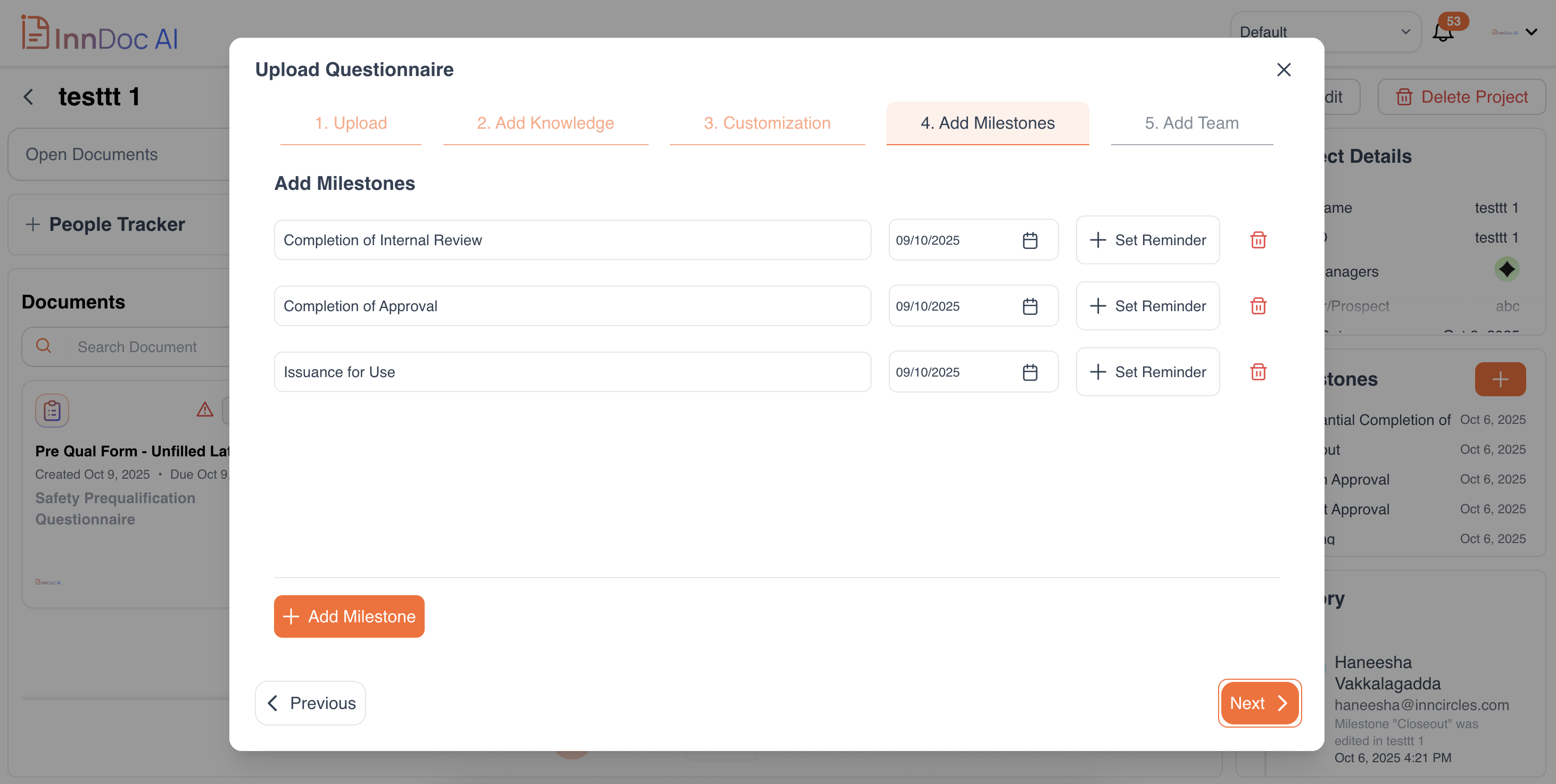
Add Milestones:Milestones are key checkpoints or goals within a project that help your team track progress and stay on schedule. Each milestone can have:
- Name/Title: What the milestone represents (e.g., “Questionnaire Upload Complete”)
- Due Date: When this milestone should be achieved
- Reminder (optional): Notify team members ahead of the milestone deadline
Refer here for more details on how to set milestones.
-
Add Team / Collaborators
- Search for existing users in your organization directory and assign roles to them respectively. Choose a role for each team member:
- Document Owner: Full control within the document, they can edit document details and edit the document.
- Document Editor: Can edit documents and answer questionnaires present.
- Document Commenter: Can add comments on all documents they have access to.
- Document Viewer: Can only view project documents and progress.
- Access Level: Check this box to optionally grant the workspace and project users.
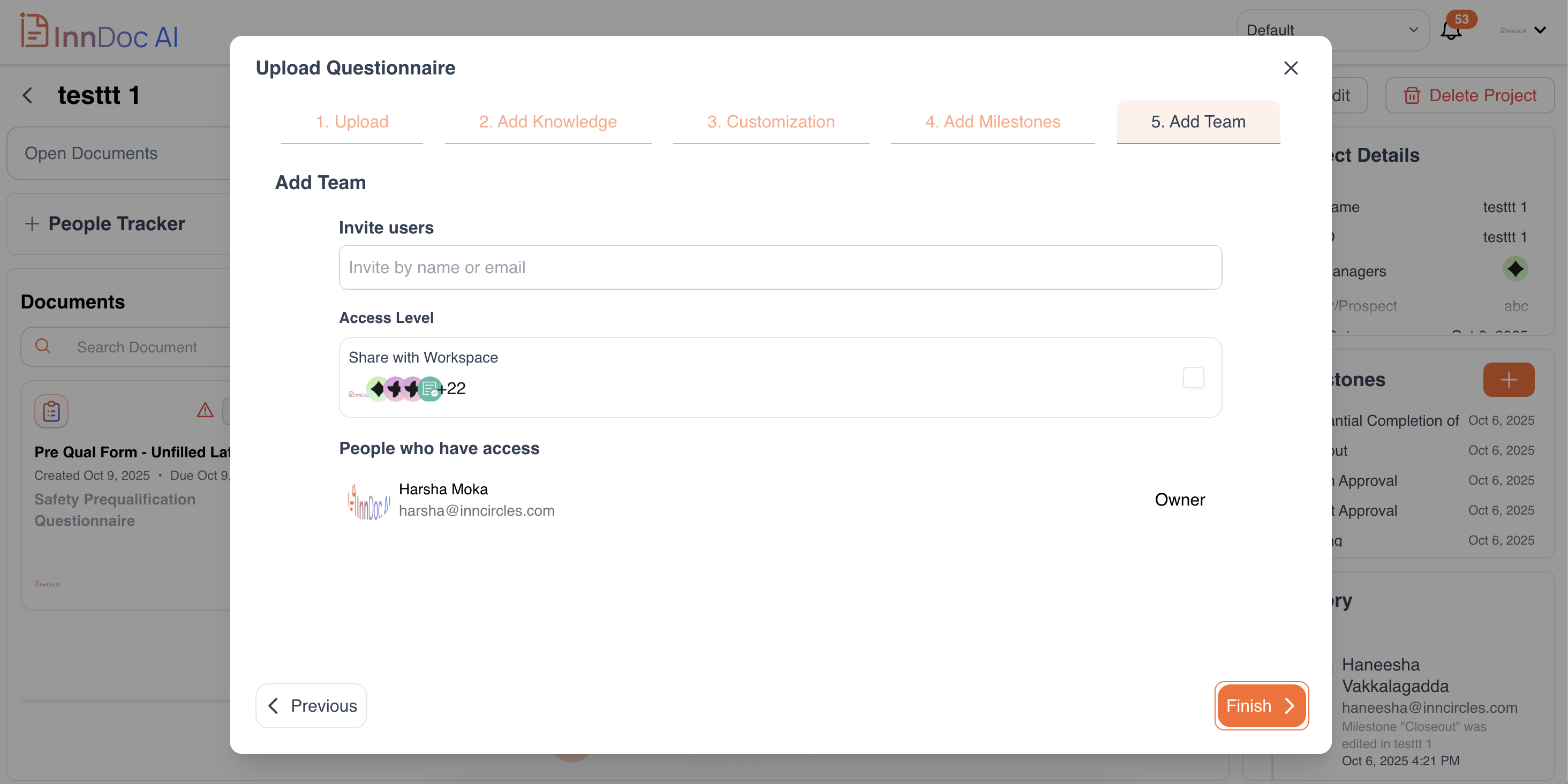
- Search for existing users in your organization directory and assign roles to them respectively. Choose a role for each team member:
-
Let AI Do the Magic
- Once your questionnaire, Knowledge Base, Q/A Bank, and team are set up, Innform AI will:
- Suggest answers from your Q/A Bank and Knowledge Base
- Generate AI-assisted responses when no match exists
- Allow interactive chat to refine or improve answers
- Keep track of sources, edits, and approvals
Sit back and watch Innform streamline your questionnaire process, so your team can focus on reviewing and approving answers efficiently.
Updated 9 months ago