
Adding Milestones During Project/Document Creation
While creating a project or a document, you can set milestones on the go:
- Add New Milestones: Specify the name, due date, and any additional details.
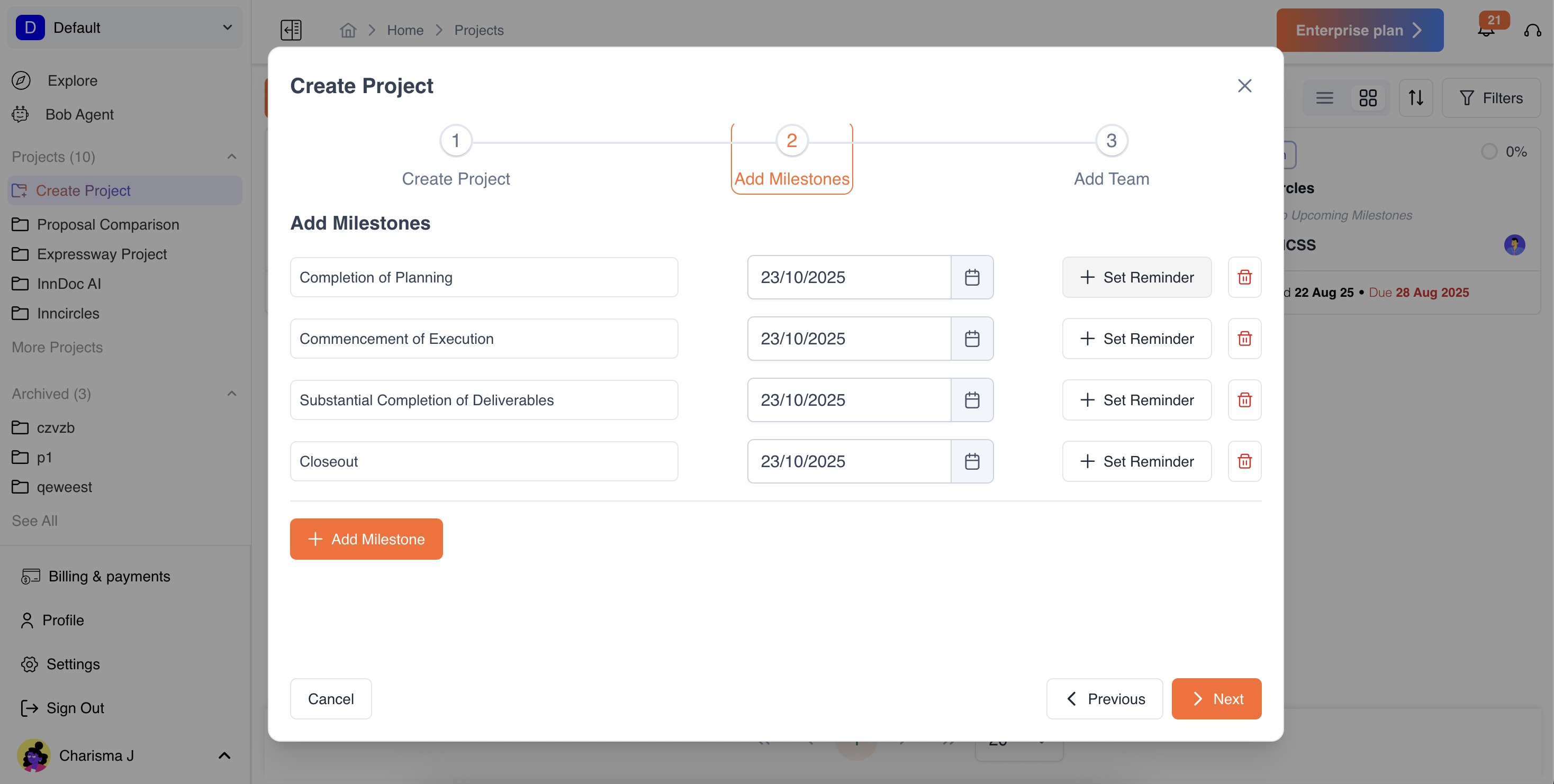
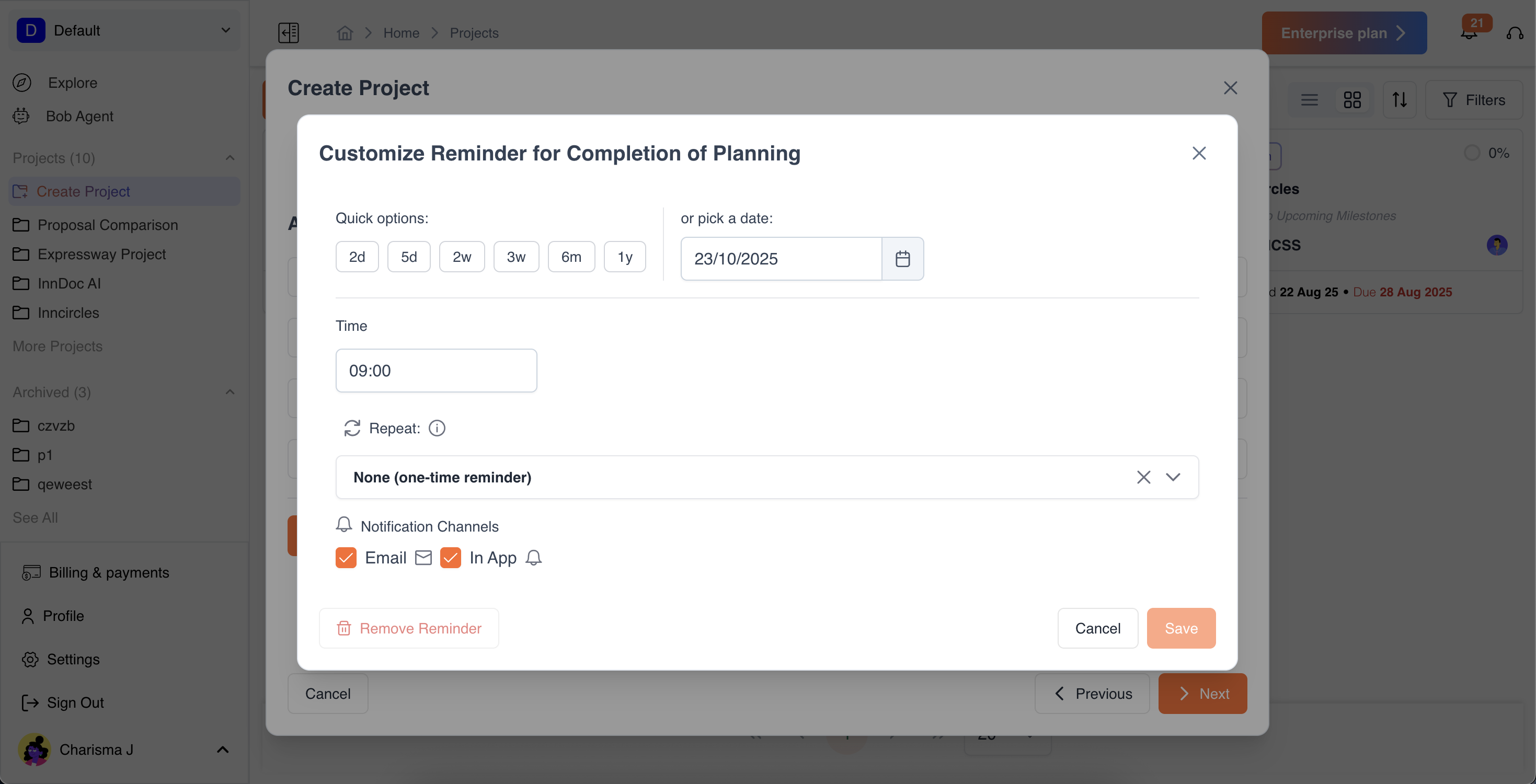
- Set Reminders: Choose the reminder date and notification channel (email or in-app).
- Set Reminder Date & Time: Choose the specific date and time to receive the reminder.
- Quick Options: Use pre-set quick options for common reminder schedules for convenience.
- Repetition Rate: Select how often the reminder should repeat until the milestone’s due date (e.g., daily, weekly, or custom intervals).
- Notification Method: Choose how you want to be reminded via email or in-app notifications.
- Edit Milestones: Update milestones’ due dates or details anytime during project/document creation.
This allows you to align milestones with your workflow from the very beginning.
Updated about 1 year ago
Did this page help you?