
Versions
Users can access “Versions” from the top of the screen which is represented by the “Versions History” icon.
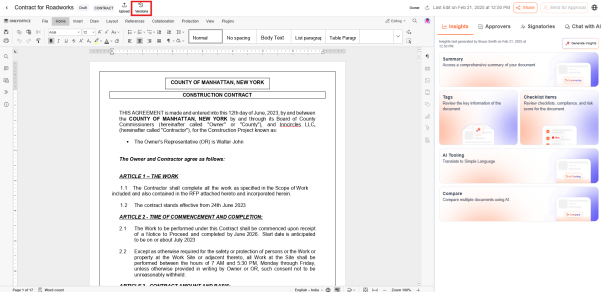
- The feature ensures that users can track changes, revert to previous versions, and maintain a structured document history.
- Each major edit is automatically registered as a new version when saved., ensuring that document history is preserved.
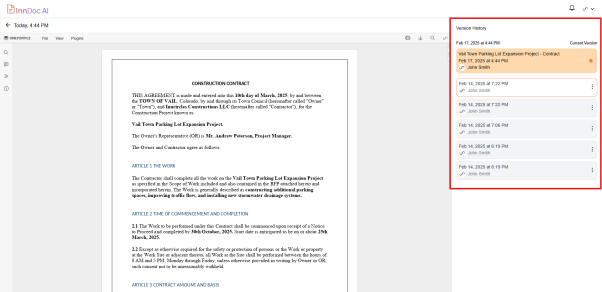
Quick Actions in Version History
-
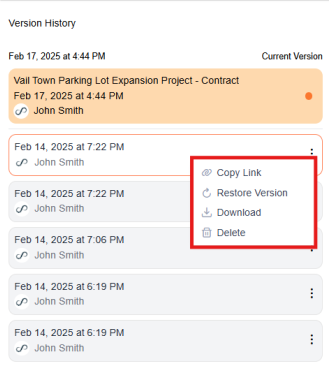
Copy Link
- Generates a shareable link to a specific document version.
- Users can share this link within their organization for quick access.
-
Restore Version
- Users can revert to a previous version of the document.
- Restoring a version replaces the current version with the selected one.
-
Download
- Users can download a specific version of the document.
- Useful for maintaining offline records or external sharing.
-
Delete
- Enables users to remove an older document version if no longer needed.
- This action helps in maintaining a clean version history.
Updated over 1 year ago
Did this page help you?