
Checklist Items
- The Checklists feature in InnDoc AI provides a structured approach to evaluating compliance and risk in documents.
- It allows users to verify whether a document meets predefined compliance requirements and assess its risk score based on established criteria.
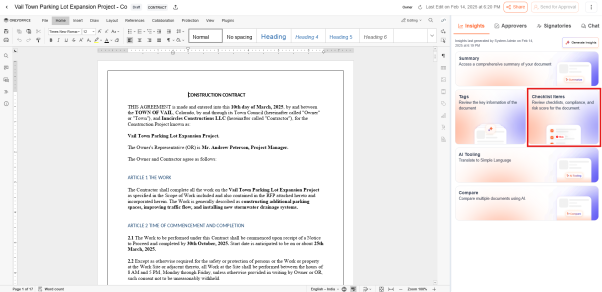
Accessing Checklists
- Users can access document-specific checklists by navigating to the Document, opening the Insights section, and selecting the "Checklist Items" card.
- Here, they can review the compliance rate and risk score of the document against predefined checklists tailored to organizational requirements.
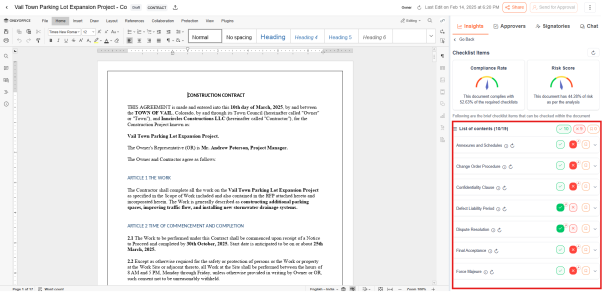
Compliance rate and risk score analysis
- The compliance rate and risk score of the document are automatically calculated based on the configured checklist criteria.
- Each checklist item result is displayed using visual indicators:
- Tick (✔) – Compliant
- Wrong (✖) – Non-Compliant
- Users can bookmark checklist items for further review and action.
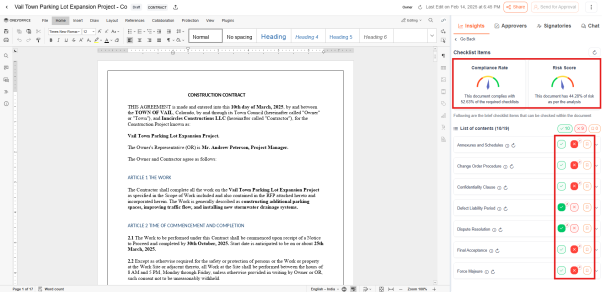
Users can define checklists based on project-specific or compliance requirements - Checklists & Risks
Updated about 1 year ago
Did this page help you?