
Checklists and Risks
Standard Checklists
- Standard Checklists: InnDoc AI offers standard checklists aligned with industry best practices. These can be used directly if they match the organization's needs, reducing setup time.
InnDoc AI enables seamless customization of checklists to align with user-specific requirements.
Custom Checklists
- Custom Checklists: Users can define checklists based on project-specific or compliance requirements.
Configuring custom checklists
-
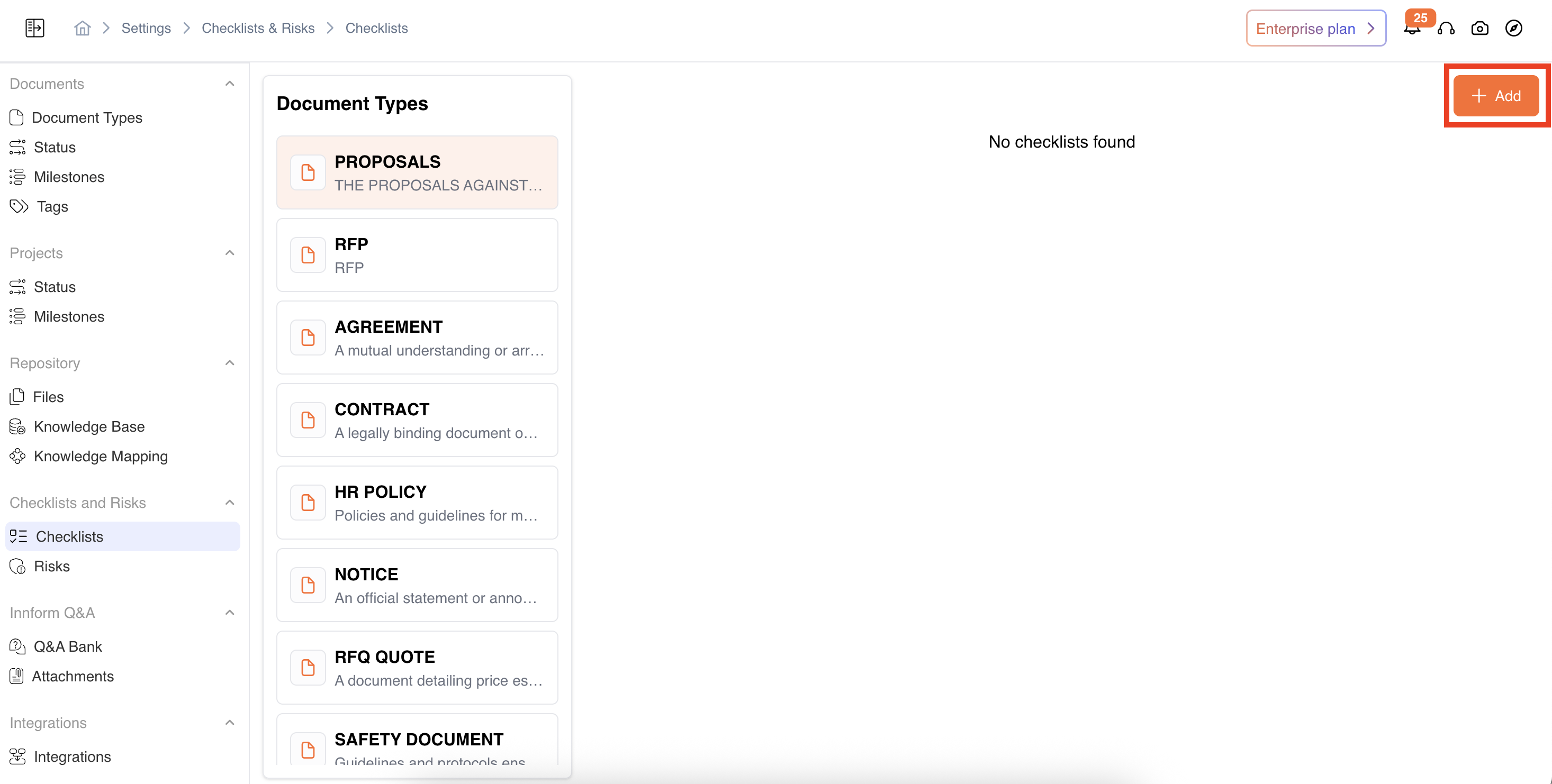
To set up a new checklist, follow these steps: Navigate to Settings → Checklists & Risks → Checklists → Select Document Type → Add
-
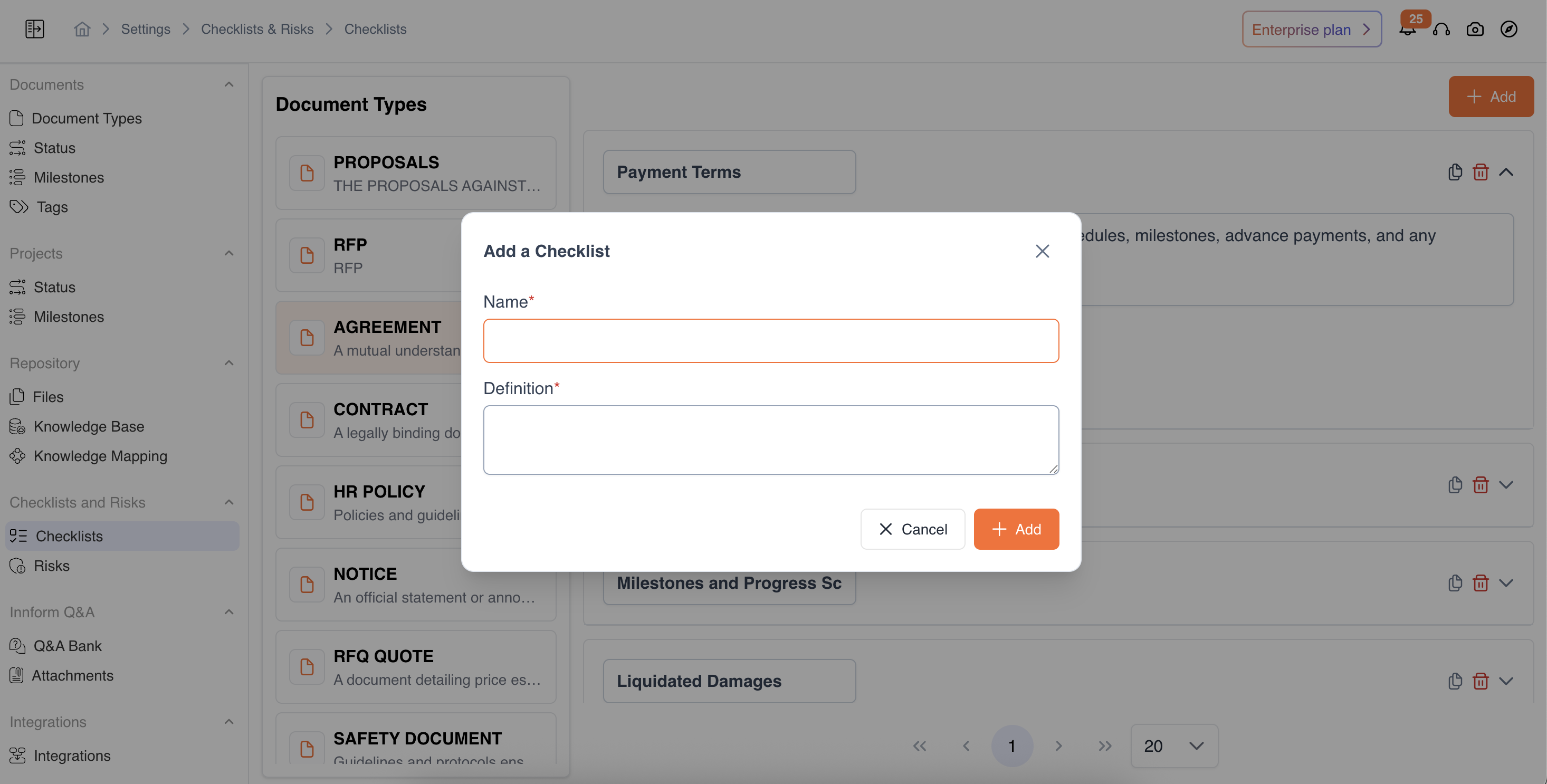
Define the Checklist Item by providing:
- Checklist Item Name (e.g., "Payment Terms")
- Checklist Item Definition (A clear description of the compliance requirement)
Impact and Probability configuration
-
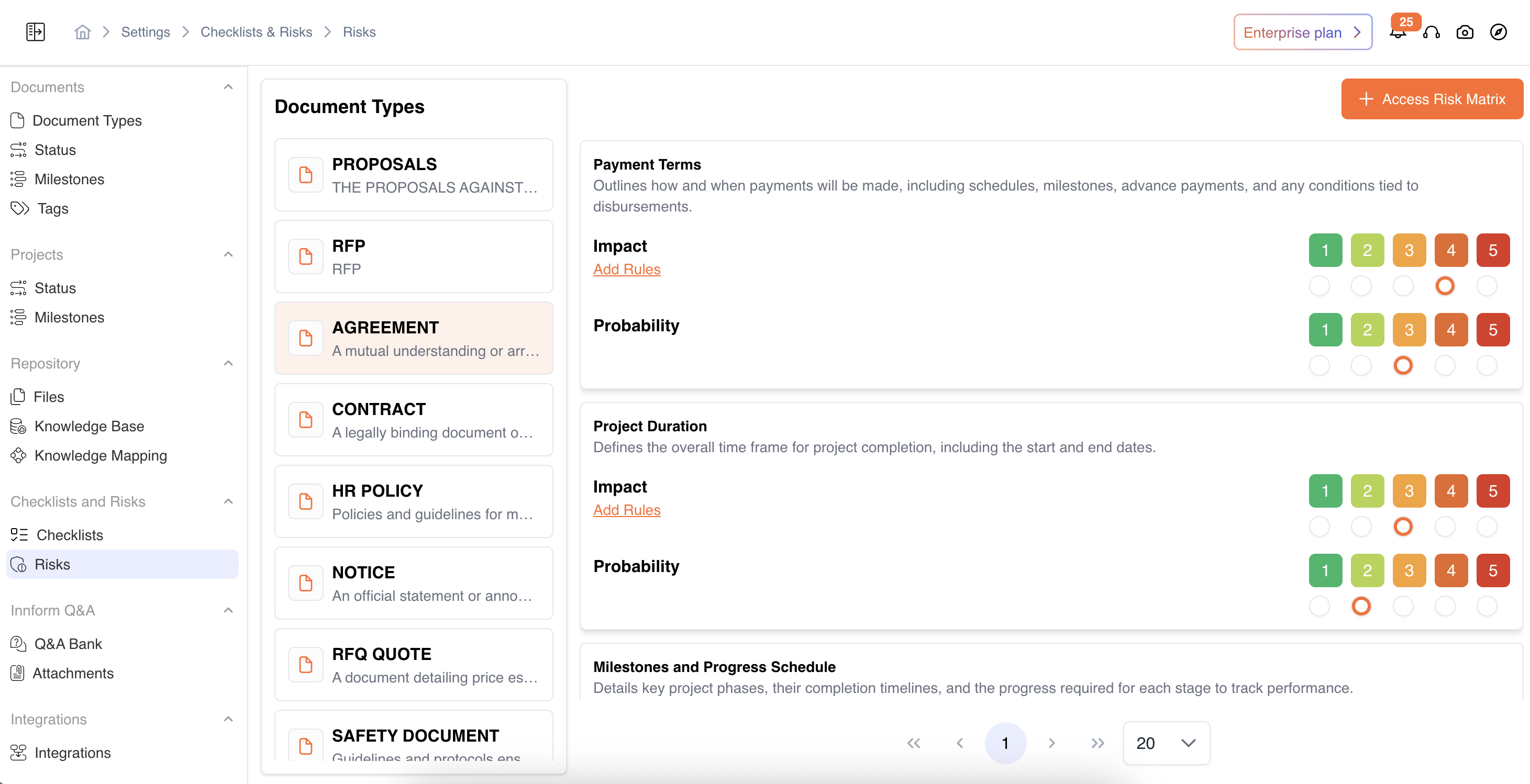
Users can define the Impact and Probability of non-compliance for each checklist item: Navigate to Settings → Checklists & Risks → Risks → Select Document Type
-
Impact
- The impact for each respective checklist item isconfigurable on a 1-5 scale, where 1 represents low impact, and 5 represents critical impact.
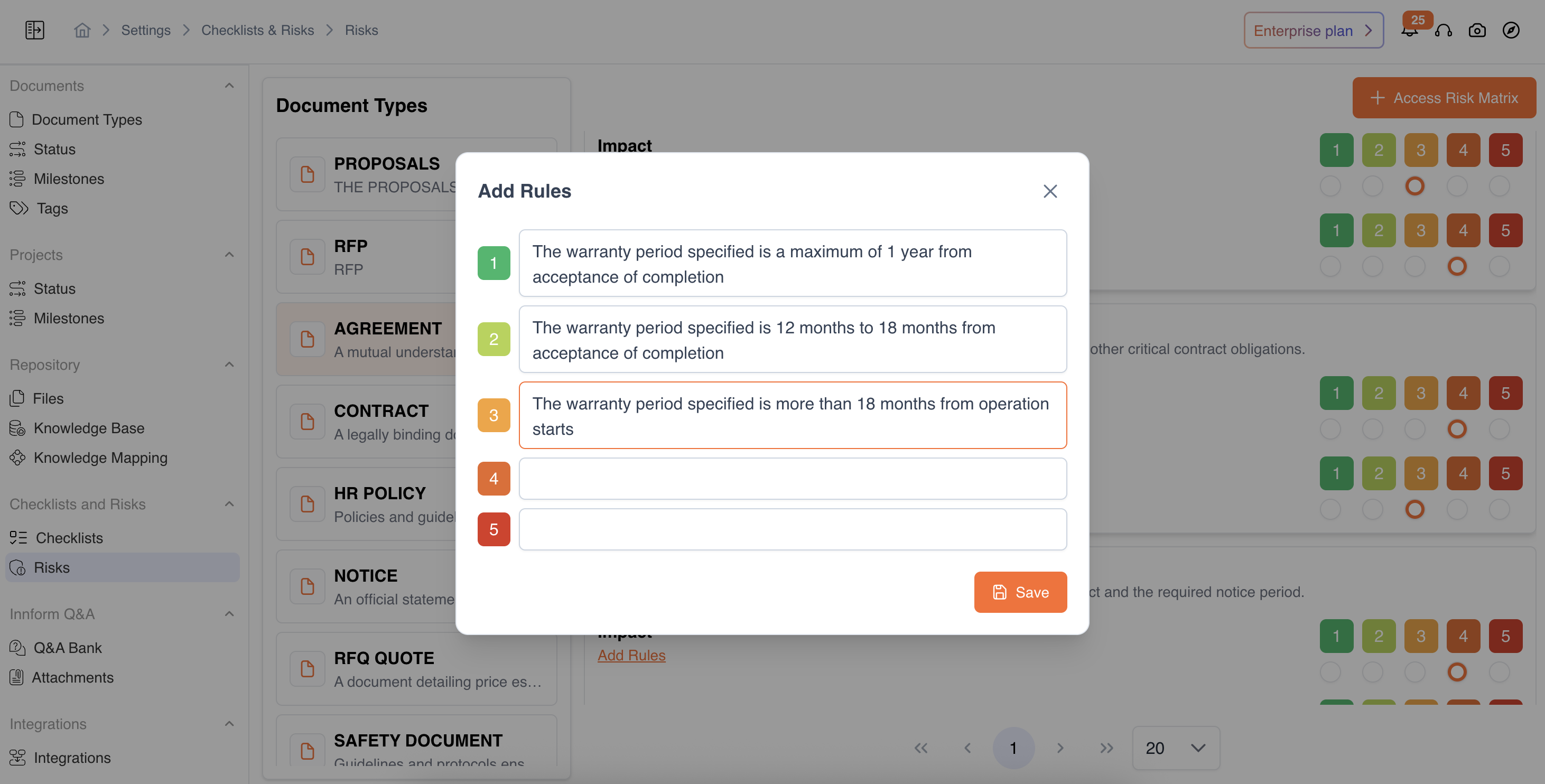
- Users also have the flexibility to configure the Impact rules as per the requirements. Navigation: Settings → Checklists & Risks → Risks → Select Document Type →Checklist Item →Impact →Add Rules
-
Probability
- The probability for each respective checklist item can beassigned on a scale of 1 to 5, probability measures the likelihood of a compliance issue occurring.
Video Reference - https://app.guidde.com/share/playbooks/wiF1vovBHDvmXf7XygDpnm?origin=CLhuhyWU58WFuigCugTh3i3jhGs2
Updated 9 months ago
Did this page help you?