
User Profile
- Click on your user profile icon → Profile.
- View and edit the following information: Name, Email, Username, Contact information
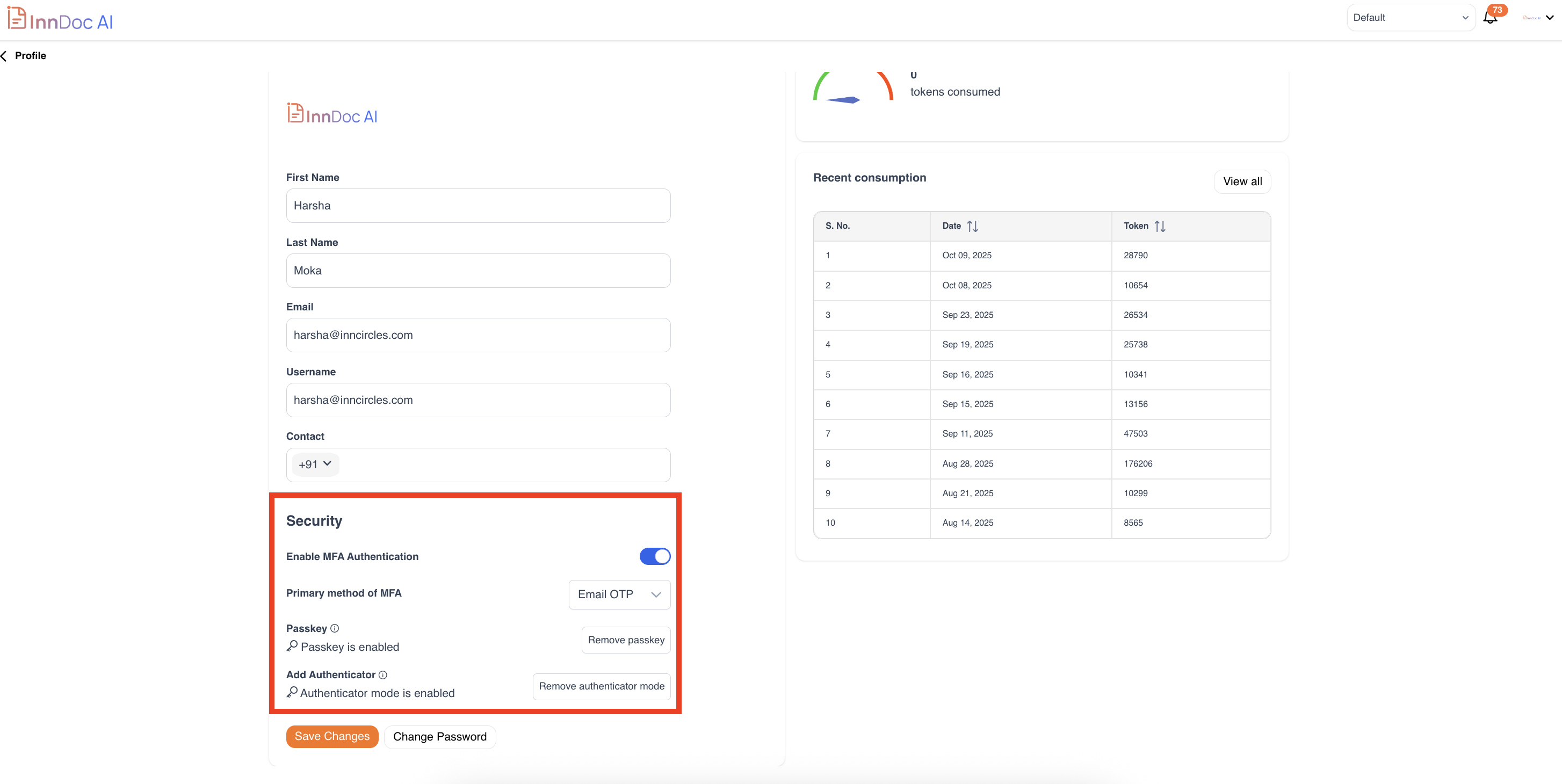
- Security Settings
- Enable MFA (Multi-Factor Authentication)
- Choose MFA method
-
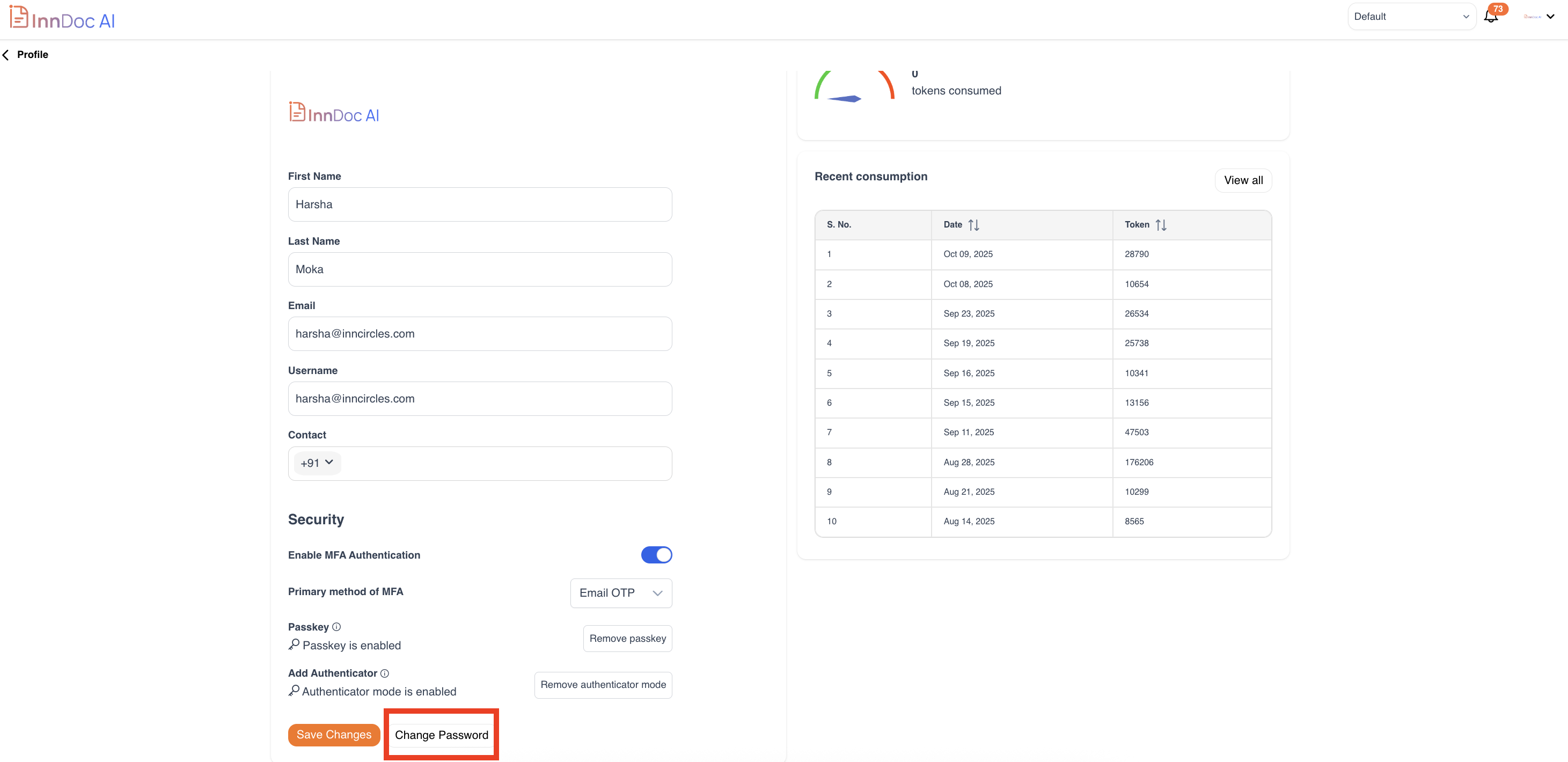
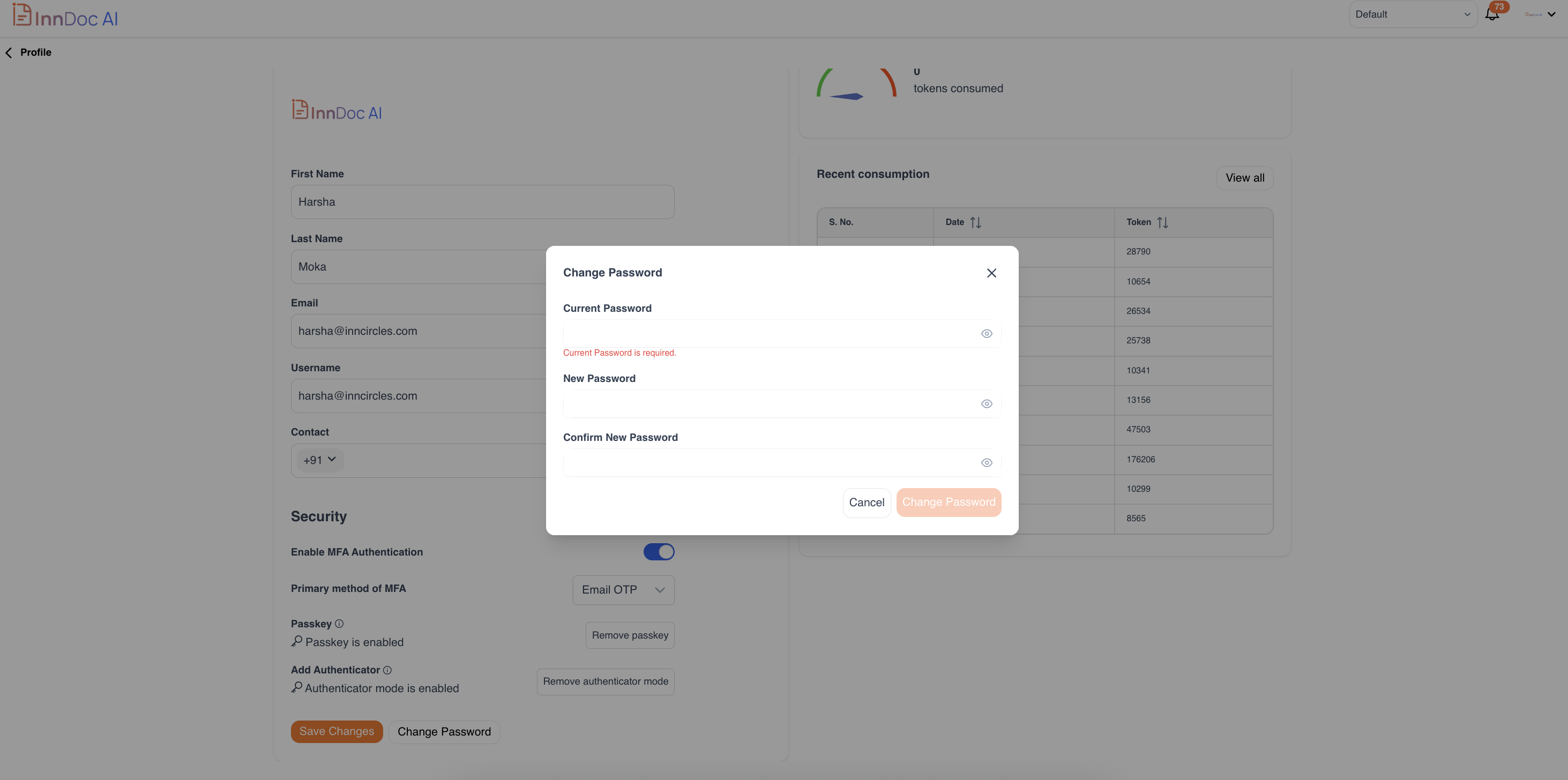
Change password
- Enter Current and new password
Video Reference - https://app.guidde.com/share/playbooks/jPRUU4A6CR8UKharPM3Z4W?origin=CLhuhyWU58WFuigCugTh3i3jhGs2
Updated 9 months ago
Did this page help you?