
Deleting & Archiving a Project
Projects can only be deleted from within the project view.
Only Org Admins or Workspace Admins can delete projects
To delete:
-
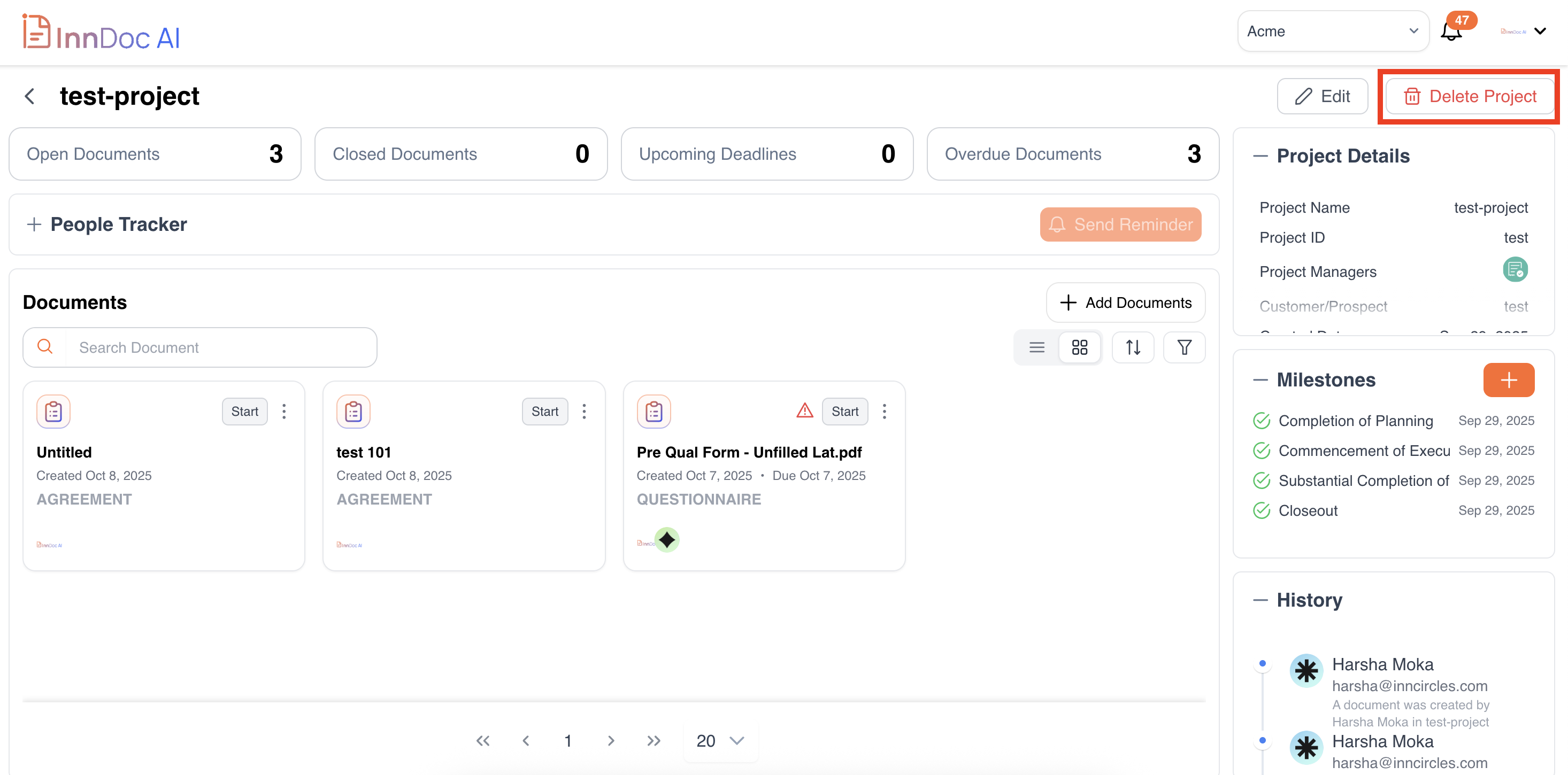
Click Delete Project.
-
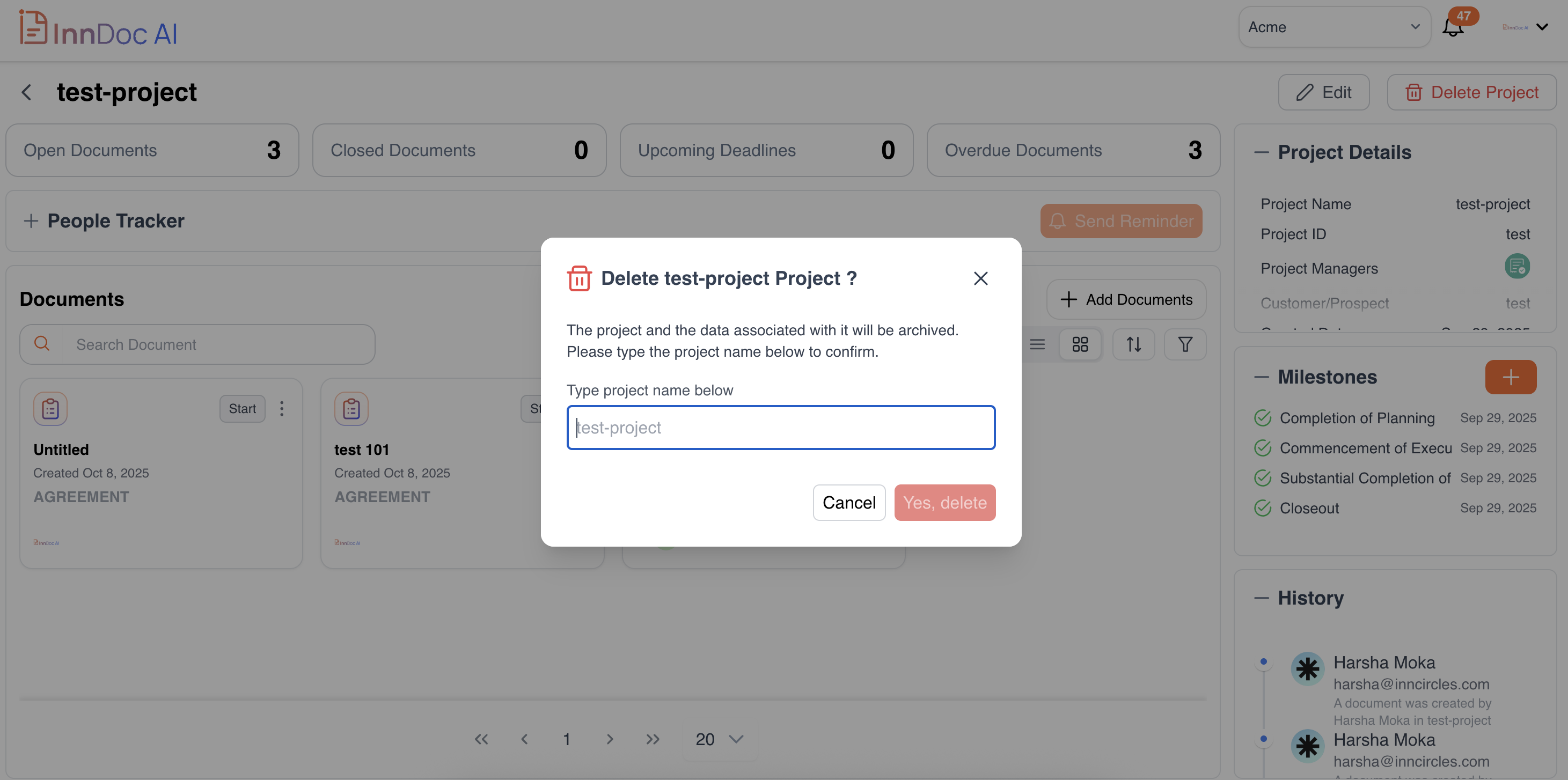
Enter the Project Name for confirmation.
-
Click Delete to confirm.
-
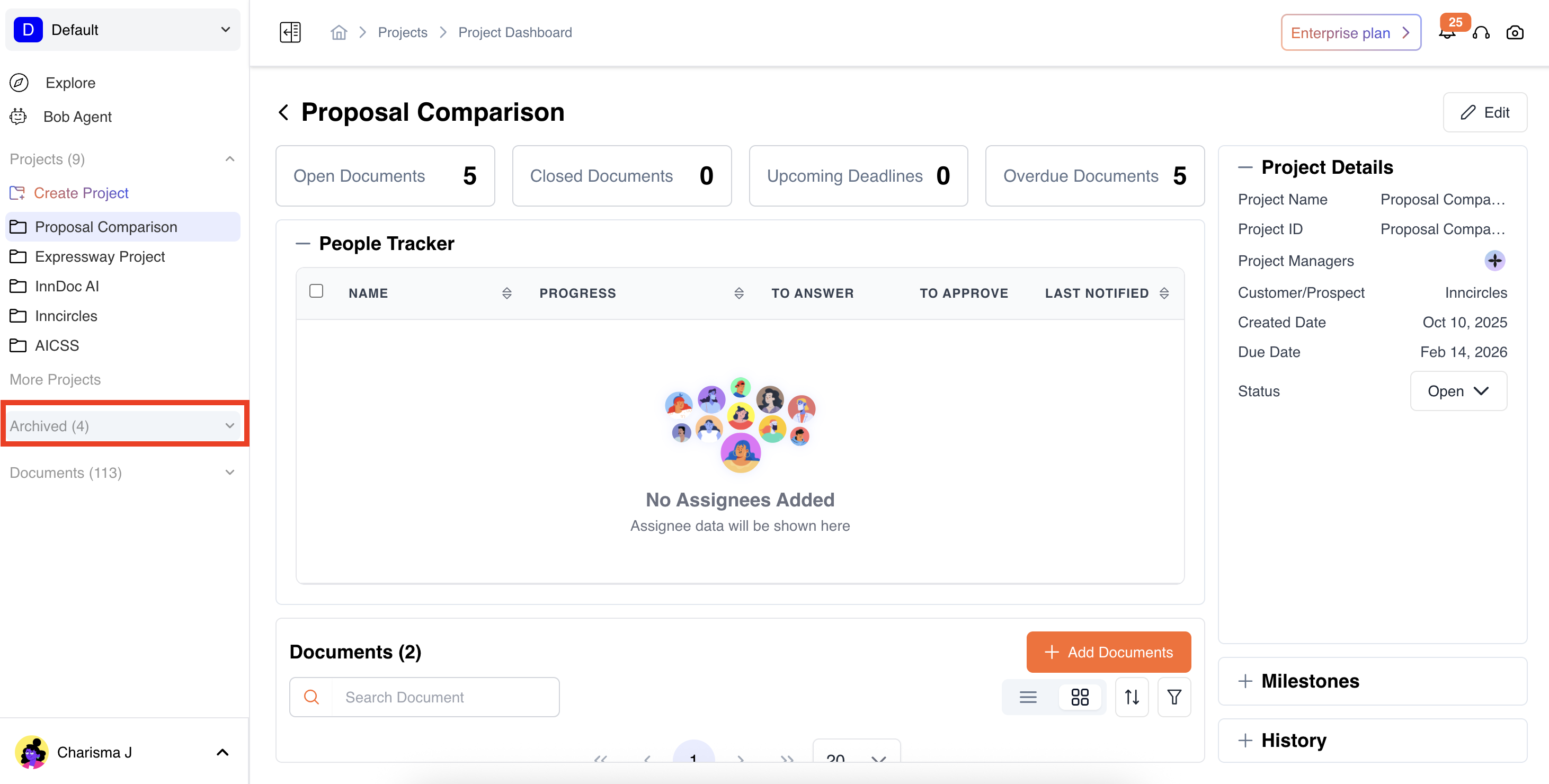
Once a project is deleted, it can be viewed under the Archive tab.
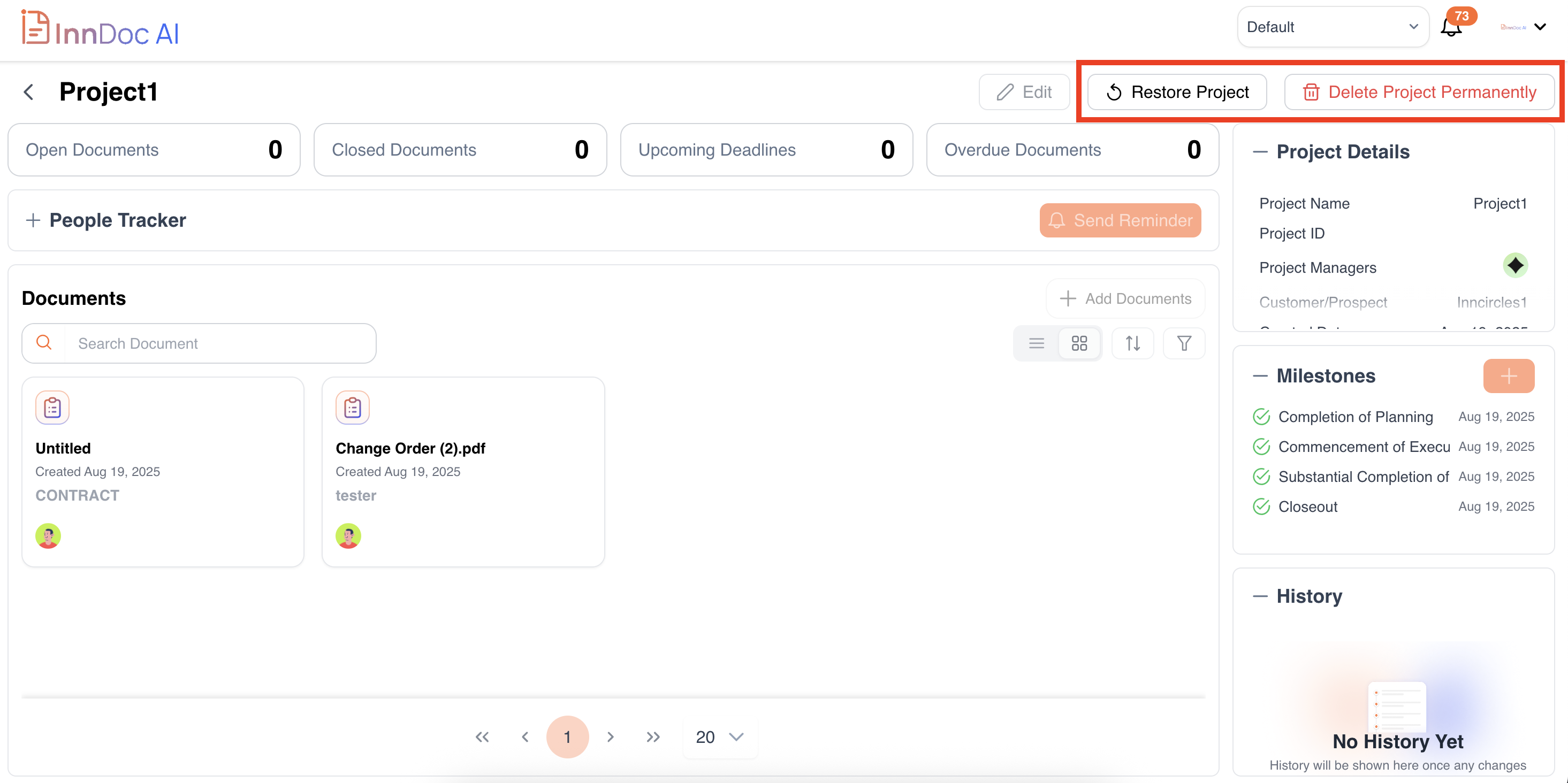
- Restore the Project – Bring the project back to active status and it would added to active projects list.
- Delete Project Permanently – Remove the project and all its data permanently.
Updated 11 months ago
Did this page help you?