
Credits Approval and Payments
The Account Owner and Organization Admins assigned the additional "Billing Admin" role can review credit requests and allocate credits by completing the required payment.
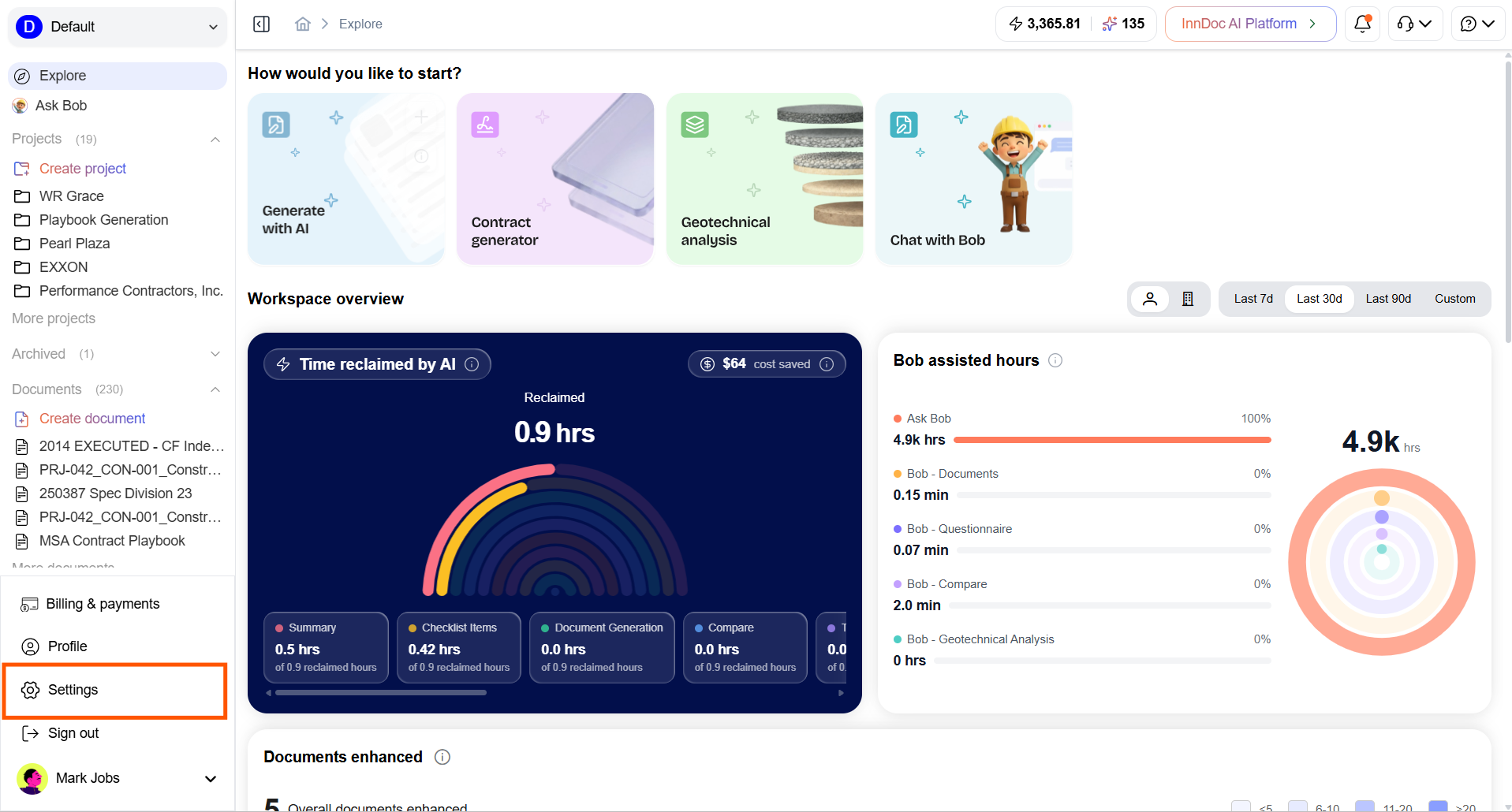
- Navigate to "Settings"
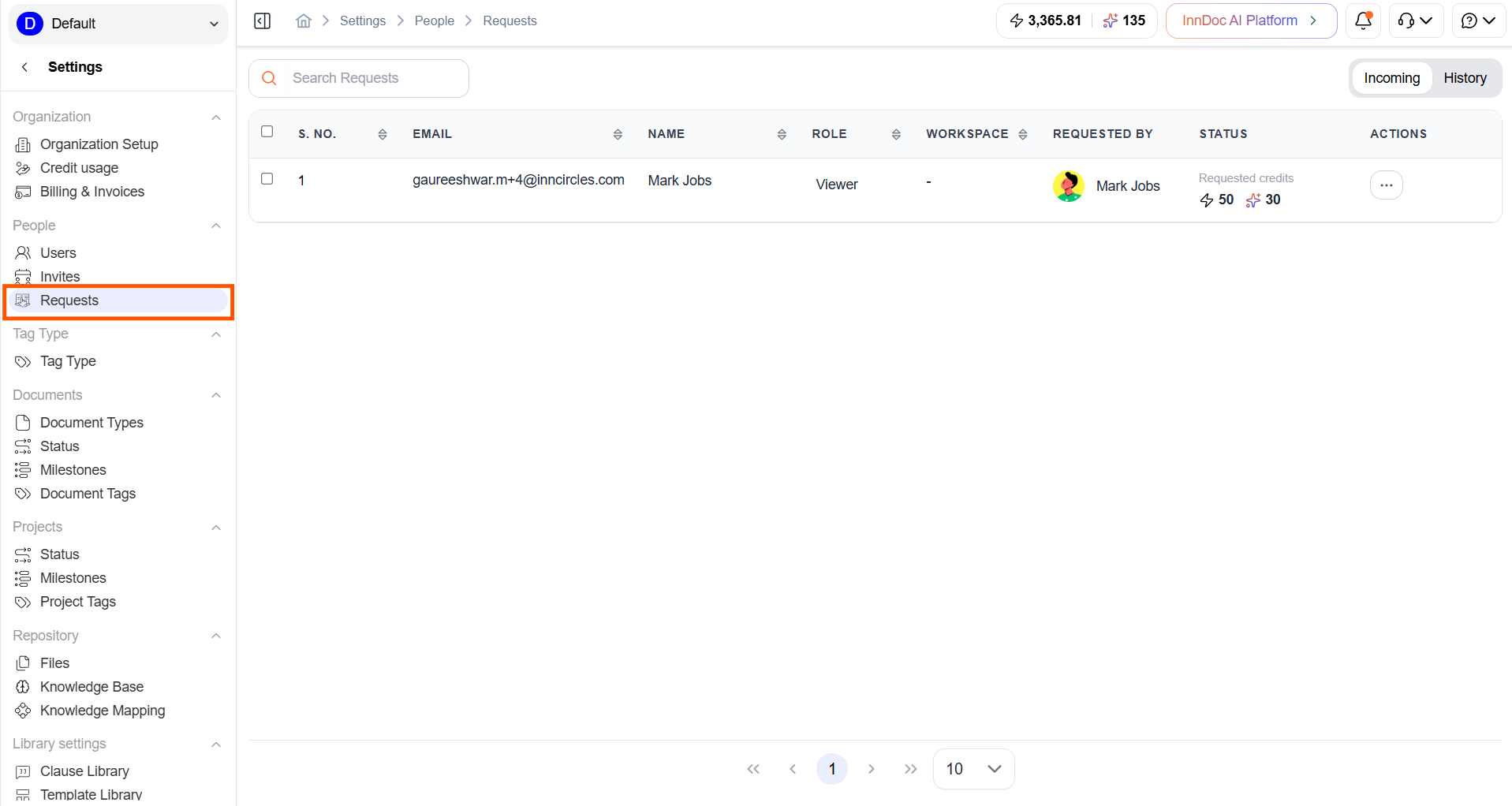
- Select the Requests tab
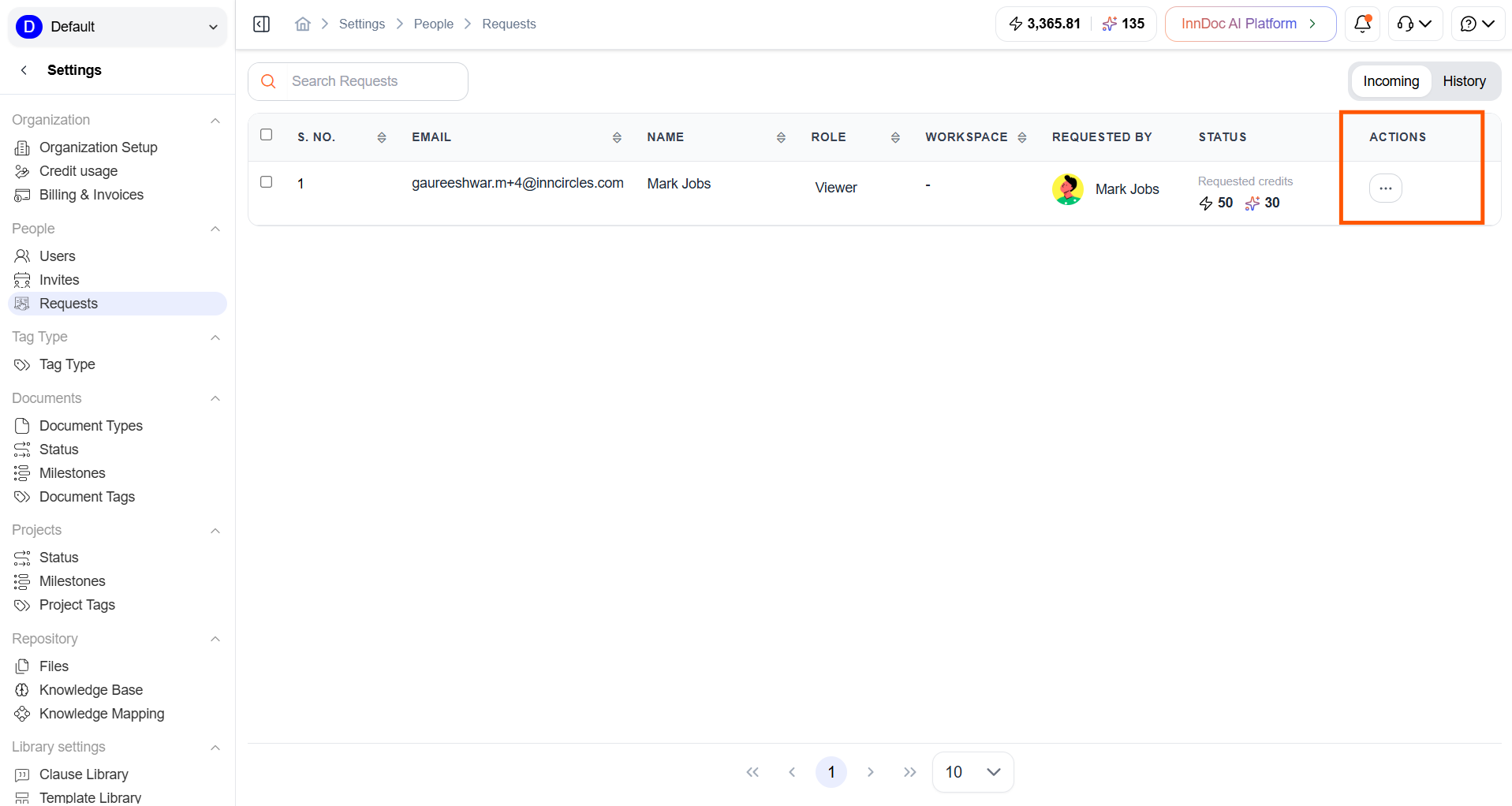
- Locate the credit request and click the Actions icon.
- Choose to Accept or Reject
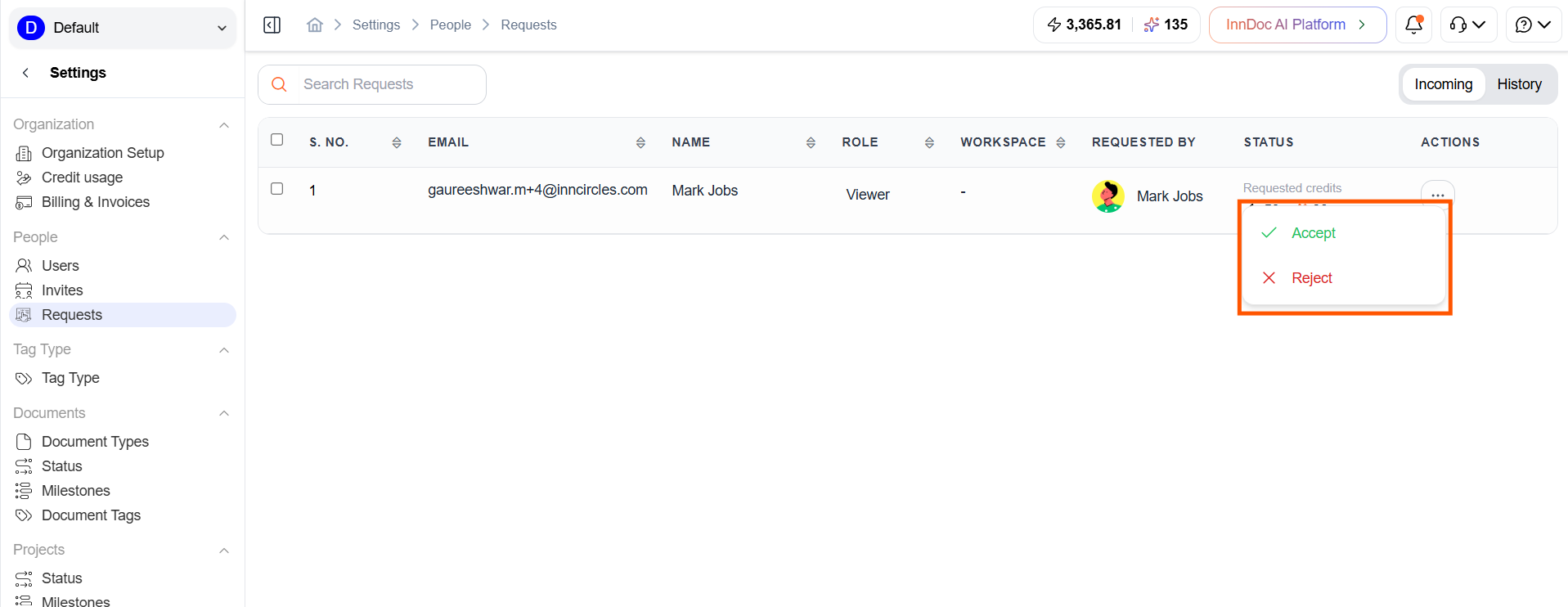
- Select Accept to proceed with the credit allocation, or Reject to decline the request.
- If the request is accepted, you will be redirected to the Payment page once the request details have been verified. If required, you can make changes to the requested credit allocation before proceeding with the payment
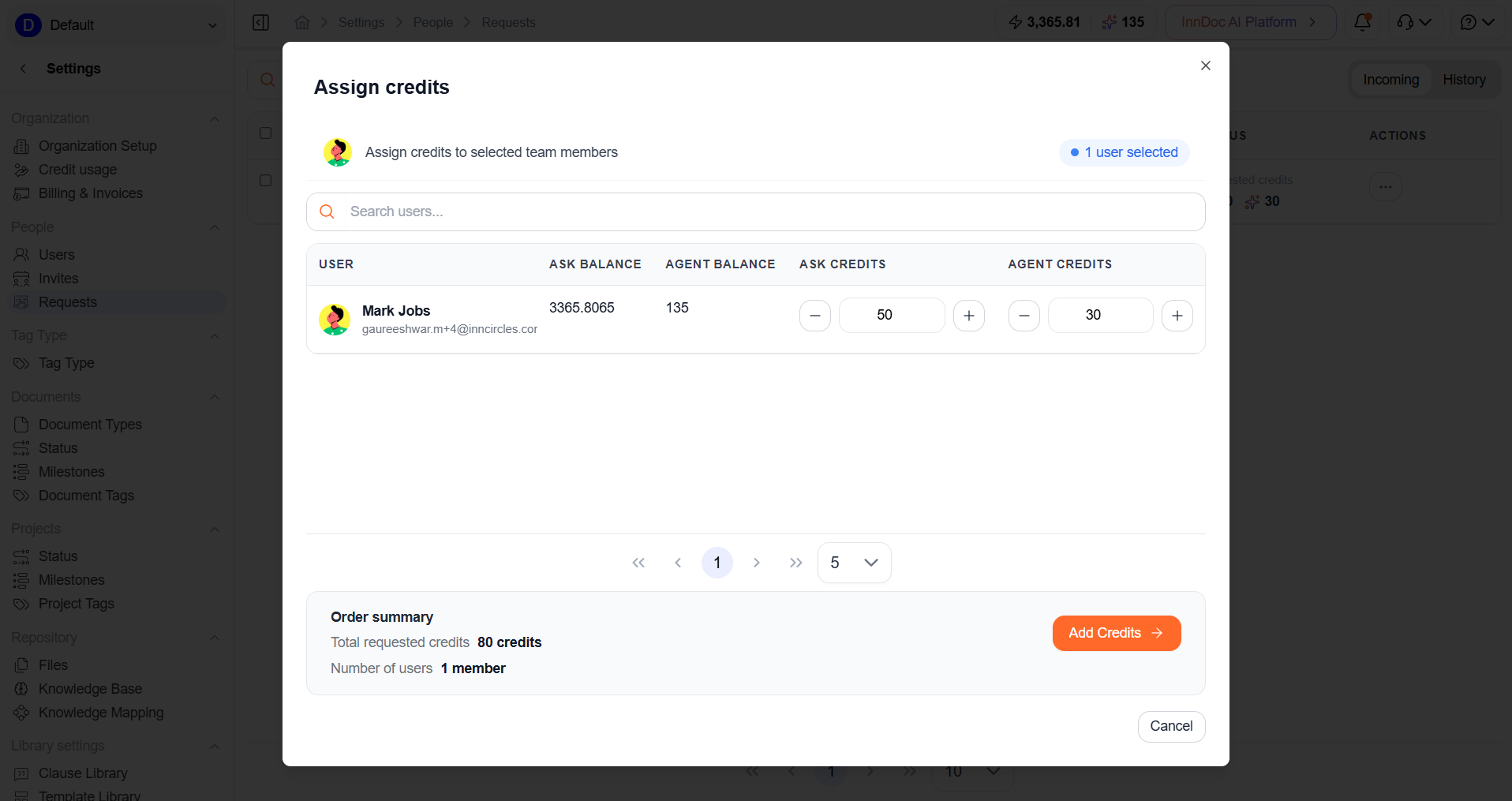
- Review the payment details carefully and complete the payment
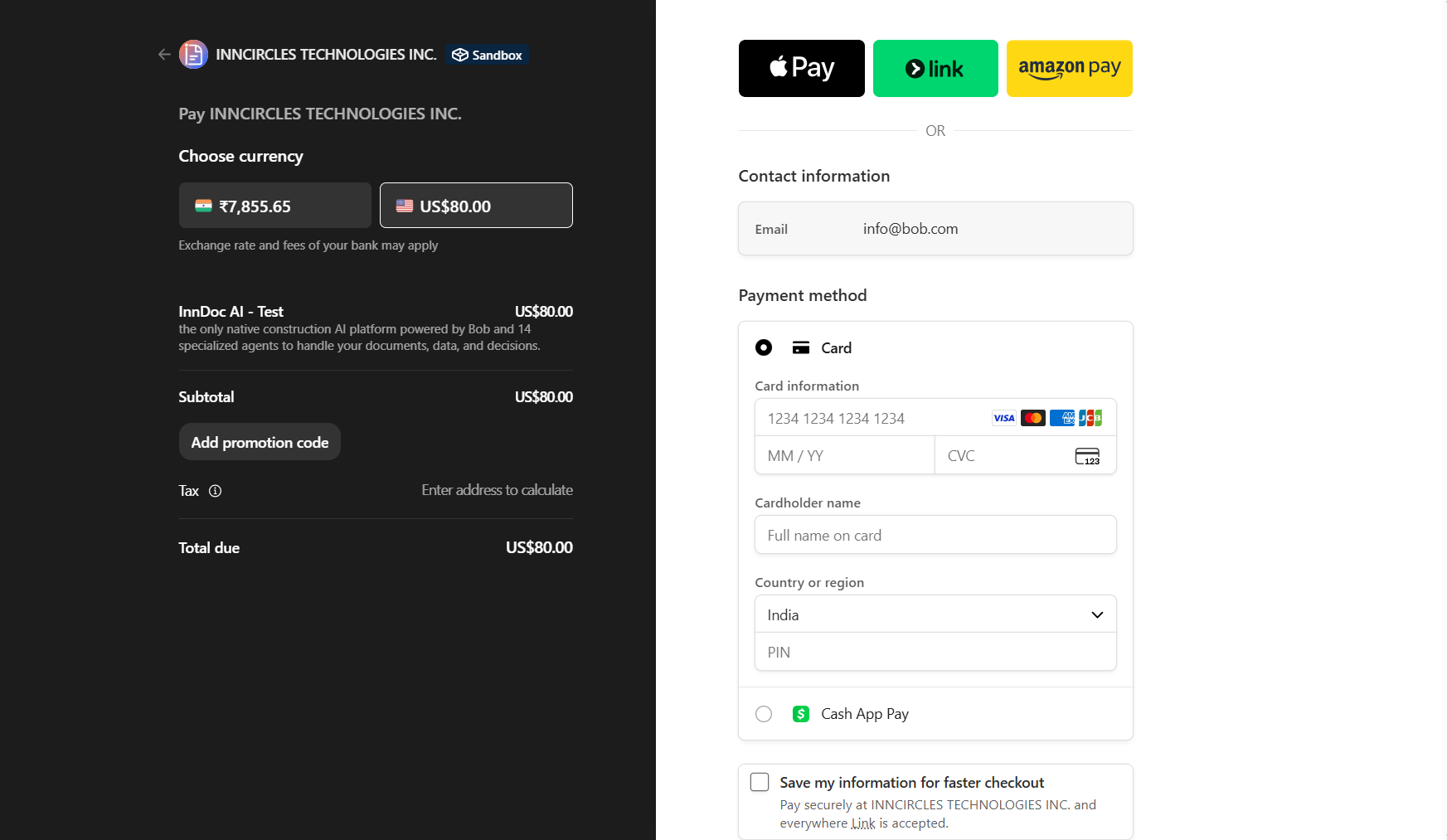
- Once the payment is successfully completed, the requested credits will be automatically allocated to the respective user
Updated about 2 months ago
Did this page help you?