
Creating Knowledge Bases
Creating a Knowledge Base
-
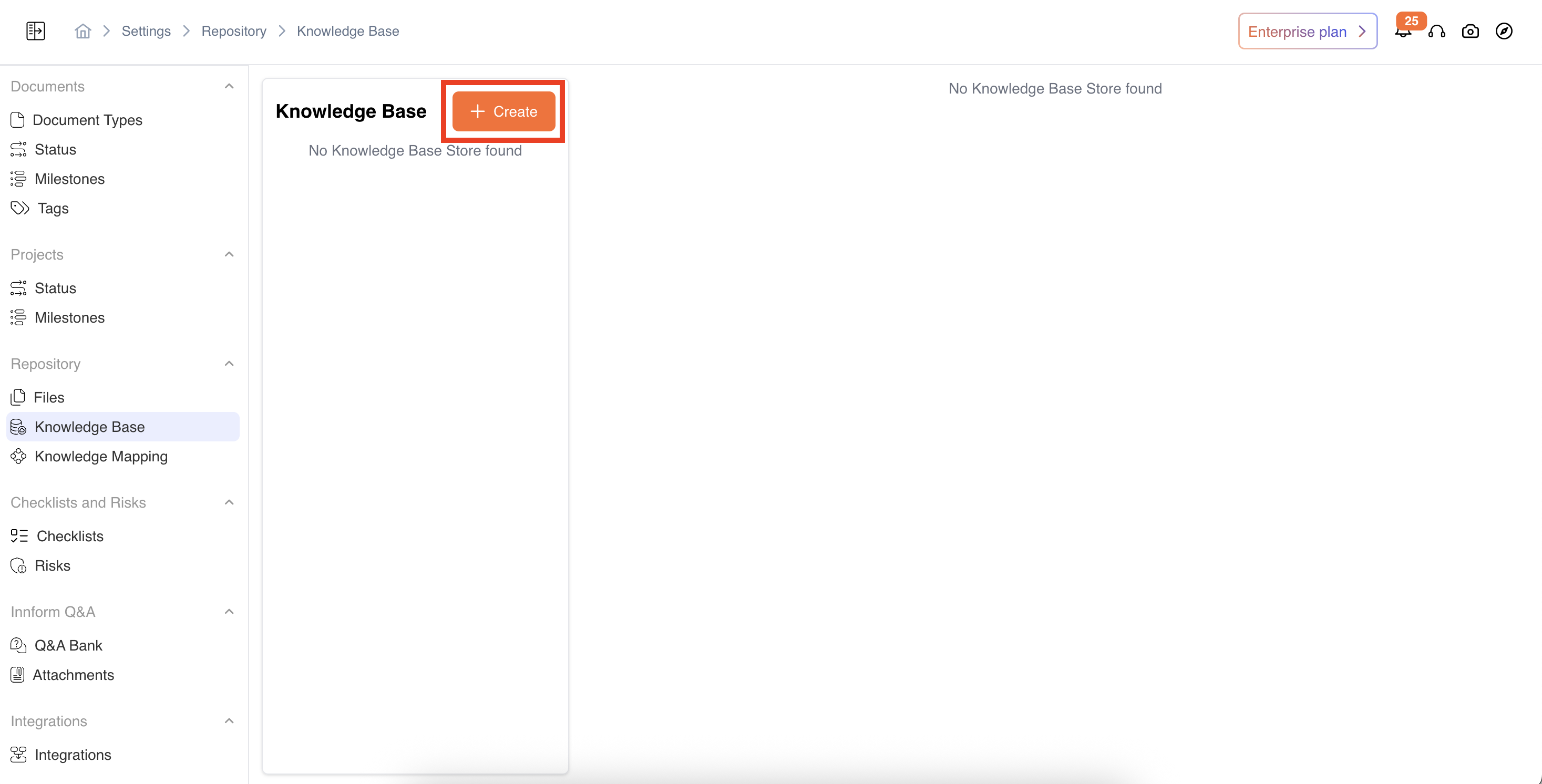
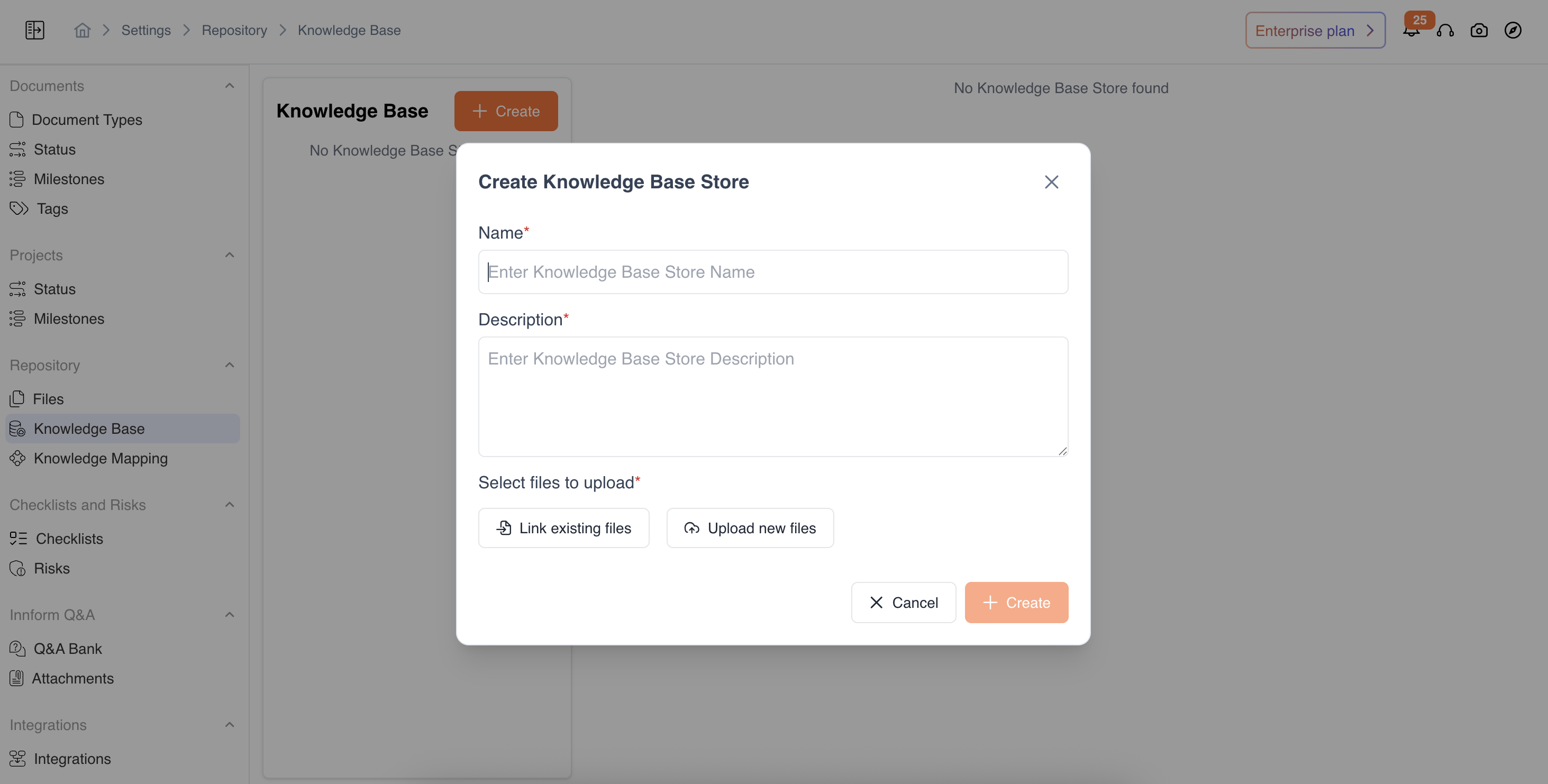
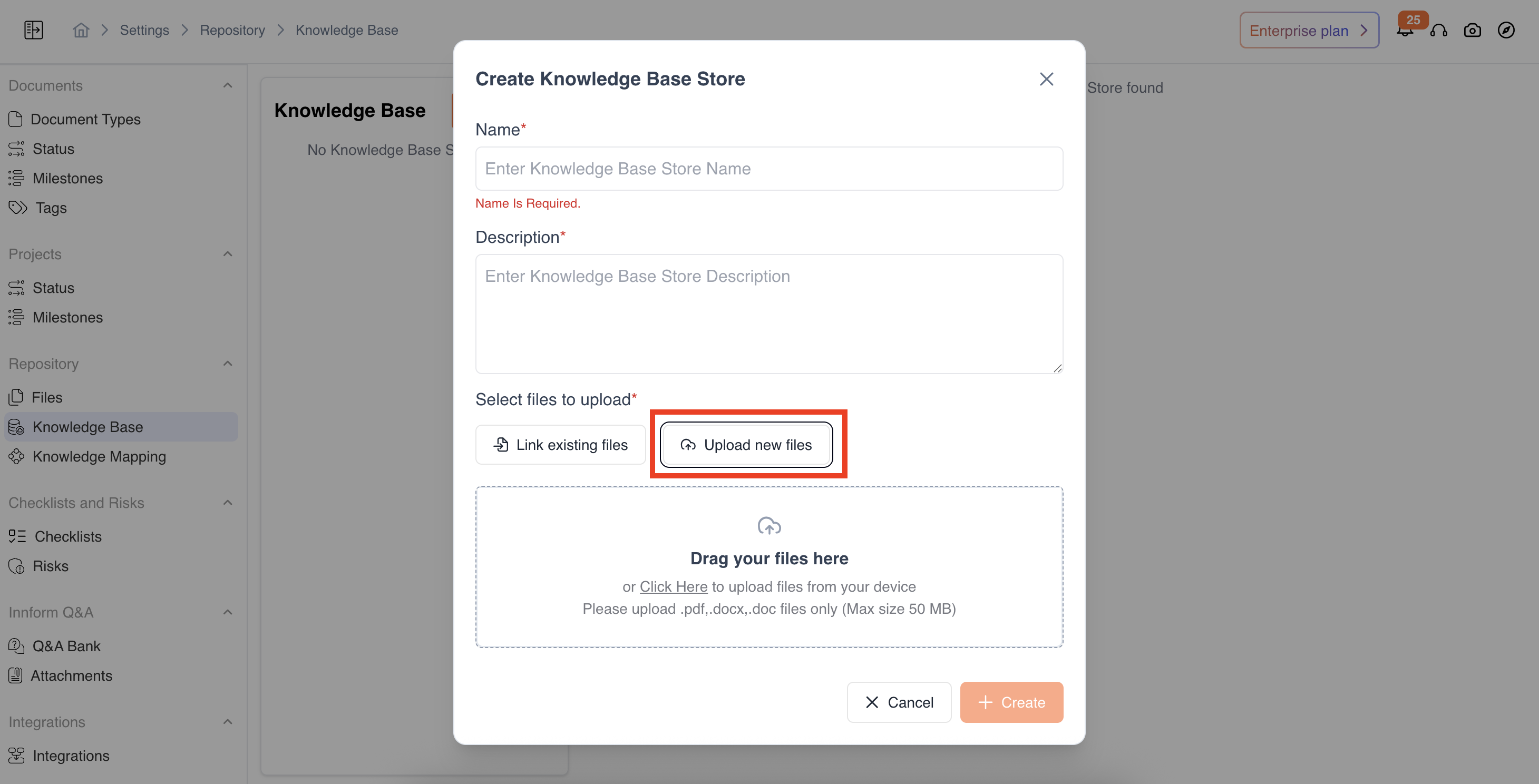
Settings-> Repository-> Knowledge Base-> On the left-hand panel, click Create Knowledge Base. Enter the following details:
-
Name – A unique name to identify your Knowledge Base.
-
Description – A short summary explaining what this Knowledge Base contains.
-
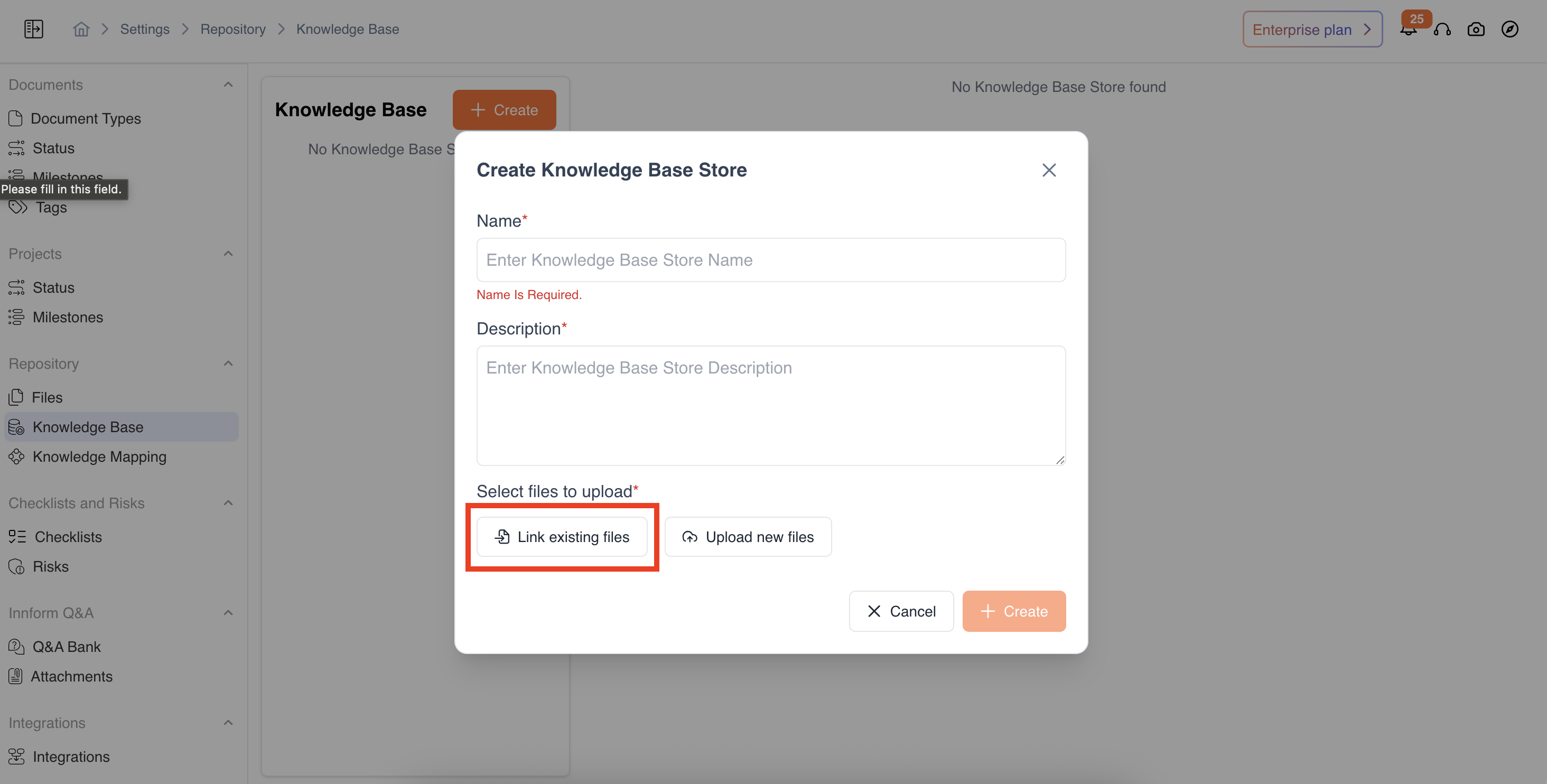
Choose one of the following options to add files:
-
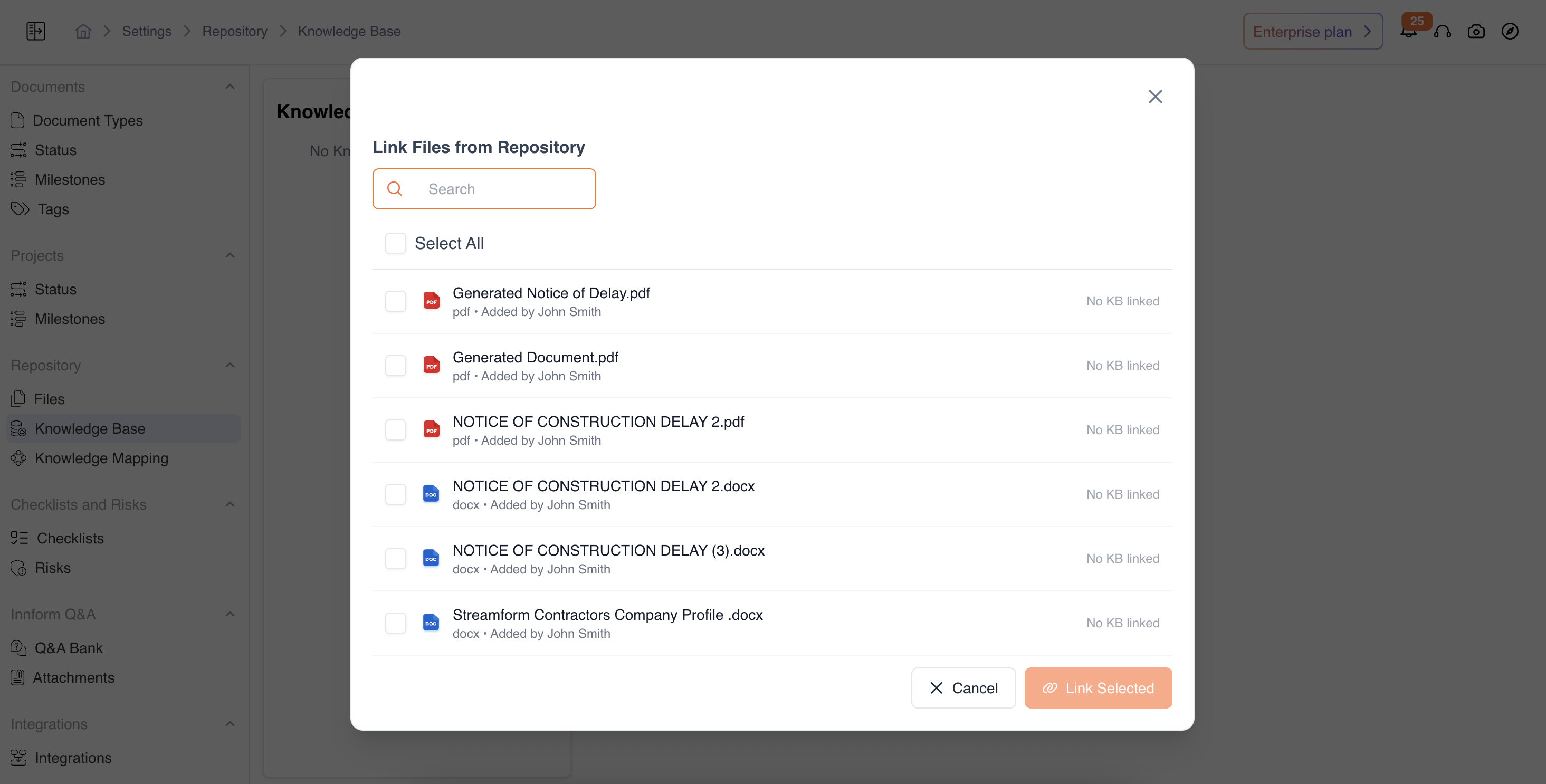
Link from Existing Files: Select files already uploaded in your repository.
-
Upload New Files: Drag and drop or browse to upload new documents directly.
-
-
-
Click Create to complete setup.
-
Your new Knowledge Base will now appear in the list on the left panel.
Updated about 1 month ago